



LV-Transformer
LV-Transformer converts EU (Industrial Craft 2 energy) between 128 EU/t and 32 EU/t, switching step-down and step-up modes with a redstone signal.
1.19.2
1.12.2
1.11.2
1.11
1.10.2
1.10
1.9.4
1.8.9
1.7.10
1.7.2
1.6.4
Description
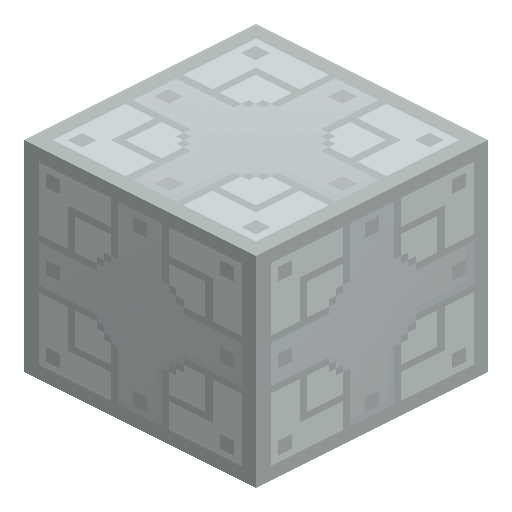
LV-Transformer is an Industrial Craft 2 wiring block that converts EU (the mod's energy unit) between two power tiers: step-down mode takes 128 EU/t in and puts 32 EU/t out, while step-up mode takes 32 EU/t in and puts 128 EU/t out. One LV-Transformer is crafted from six Oak Planks, two Tin Cable, and one Coil in a shaped recipe on the crafting table. When placed, LV-Transformer points its higher-voltage face — the side marked with five dots — toward the player, and the five remaining single-dot faces carry the lower voltage. Without a redstone signal LV-Transformer runs in step-down mode, and the GUI offers three settings: Redstone = step-up (the default), fixed step-down, and fixed step-up.
Industrial Craft 2 names every transformer after its lower default output voltage, and LV-Transformer covers the 32 EU/t tier. Setting the GUI mode deliberately matters because an errant redstone signal can flip a wrongly configured LV-Transformer into explosive problems. LV-Transformer also keeps a small internal EU buffer that the GUI does not display, so a supposedly dead wire can still hold a charge. To reorient LV-Transformer, right-click the chosen face with a wrench to assign higher voltage there, or shift-right-click to set the opposite face; removal takes a wrench on the five-dot face or a shift-wrench on the face opposite.
Industrial Craft 2 names every transformer after its lower default output voltage, and LV-Transformer covers the 32 EU/t tier. Setting the GUI mode deliberately matters because an errant redstone signal can flip a wrongly configured LV-Transformer into explosive problems. LV-Transformer also keeps a small internal EU buffer that the GUI does not display, so a supposedly dead wire can still hold a charge. To reorient LV-Transformer, right-click the chosen face with a wrench to assign higher voltage there, or shift-right-click to set the opposite face; removal takes a wrench on the five-dot face or a shift-wrench on the face opposite.
Guide
How to Craft and Set Up the LV-Transformer in Industrial Craft 2
-
1
Craft the LV-Transformer
Arrange six Oak Planks, two Tin Cable, and one Coil on the crafting table: Tin Cable in the middle of the top and bottom rows, Coil in the center, and Oak Planks in the six remaining slots.
-
2
Place LV-Transformer with the five-dot face out
Place LV-Transformer so that the five-dot higher-voltage face points where the wiring needs it; the five-dot face aims at the player by default, and the five single-dot faces carry the lower voltage.
-
3
Connect the cables by voltage
Run 128 EU/t sources into the five-dot face and draw 32 EU/t from the single-dot faces for step-down conversion, and reverse the layout when LV-Transformer must step up.
-
4
Lock the mode in the GUI
Open the LV-Transformer GUI and pick Redstone = step-up (default), fixed step-down, or fixed step-up, so that an unexpected redstone signal cannot flip the mode and cause explosive problems.
-
5
Turn and remove with a wrench
Right-click any face with a wrench to make that face the higher-voltage side of LV-Transformer, shift-right-click to set the opposite face, and wrench the five-dot face (or shift-wrench the opposite face) to remove LV-Transformer.
Hidden EU buffer
LV-Transformer keeps a small internal EU buffer that the GUI never shows, so treat a disconnected LV-Transformer as potentially charged.
How to craft this block
Crafting

 LV-Transformer

1





Frequently asked questions
What is the difference between step-down and step-up on the LV-Transformer?
Step-down mode turns 128 EU/t into 32 EU/t inside LV-Transformer, and step-up mode turns 32 EU/t into 128 EU/t; without a redstone signal LV-Transformer stays in step-down.
What do the dots on the LV-Transformer mean?
The five-dot face of LV-Transformer is the higher-voltage side and points toward the player when placed; the five single-dot faces form the lower-voltage side.
How do I stop redstone signals from flipping the LV-Transformer?
Set the LV-Transformer GUI to fixed step-down or fixed step-up instead of the default Redstone = step-up option, so an unexpected redstone signal cannot change the mode and cause explosive problems.
How do I rotate or pick up the LV-Transformer?
Right-click a face with a wrench to make that face the higher-voltage side, or shift-right-click for the opposite face; wrench the five-dot face or shift-wrench the opposite face to remove LV-Transformer.
Does the LV-Transformer store energy?
LV-Transformer keeps a small internal EU buffer that the GUI does not display, so LV-Transformer can hold a residual charge after the power is cut.
Minecraft and all related materials are trademarks and copyrights of Mojang Studios © 2009–2026. This site is not an official Minecraft product and is not affiliated with or endorsed by Mojang Studios or Microsoft Corporation.