


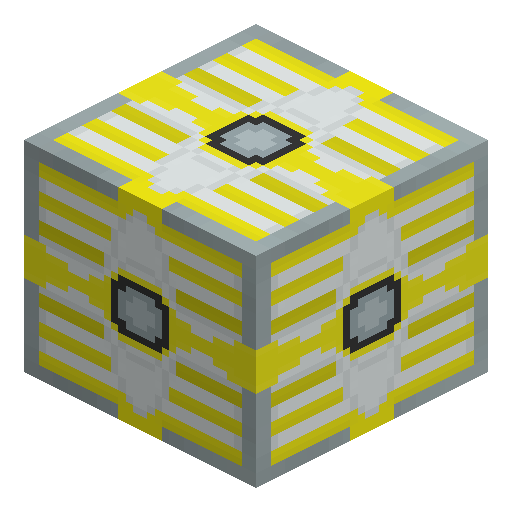
EV-Transformer
EV-Transformer steps Industrial Craft 2 energy between 8192 EU/t and 2048 EU/t (EU is the mod's energy unit) in step-down or step-up mode.
Description
Mode control keeps an EV-Transformer energy net predictable: the default setting runs step-down without a redstone signal and switches to step-up when a signal arrives, while the fixed step-down and fixed step-up options in the GUI lock the mode against stray signals that cause explosive failures. A wrench reorients the placed EV-Transformer: right-click the face that should carry the higher voltage, or shift-right-click to target the opposite face. Wrenching the higher-voltage face removes the EV-Transformer. Transformers also keep a small internal EU buffer that the GUI does not display. Industrial Craft 2 ships four transformers — LV, MV, HV and EV — and the EV-Transformer covers the top 8192 EU/t step of that ladder.
Guide
How to Use the EV-Transformer in Industrial Craft 2
-
1
Craft the EV-Transformer
Place an HV-Transformer in the center of a crafting grid, an Advanced Circuit to the left, a Lapotron Crystal to the right, and an HV Cable centered in the top and bottom rows to craft one EV-Transformer.
-
2
Orient the higher-voltage face
Right-click the placed EV-Transformer with a wrench on the face that should carry 8192 EU/t, or shift-right-click to target the opposite face; the five-dot texture marks the higher-voltage side.
-
3
Pick a mode in the GUI
Open the EV-Transformer GUI and choose one of three modes: Redstone = step-up (the default block state), fixed step-down, or fixed step-up.
-
4
Connect the power
Step-down wiring feeds 8192 EU/t into the five-dot face and draws 2048 EU/t from the single-dot faces; step-up wiring feeds 2048 EU/t into the single-dot faces and draws 8192 EU/t from the five-dot face.
-
5
Remove the EV-Transformer with a wrench
Wrench the higher-voltage face to remove the EV-Transformer, or shift-wrench the opposite face.
Transformers keep a small internal EU buffer that the GUI does not display, so an EV-Transformer can still hold charge after the generators shut down.
How to craft this block









Frequently asked questions
Why does the EV-Transformer output 2048 EU/t by default?
Industrial Craft 2 names each transformer for its default lower output voltage; the EV-Transformer outputs 2048 EU/t in step-down mode and 8192 EU/t in step-up mode.
What separates the EV-Transformer from the HV-Transformer?
The HV-Transformer converts between 512 and 2048 EU/t, while the EV-Transformer converts between 2048 and 8192 EU/t. The EV-Transformer recipe also uses an HV-Transformer as the center ingredient.
Is the EV-Transformer used in any crafting recipes?
No. The Industrial Craft 2 catalogue contains no recipe with the EV-Transformer as an ingredient, so the EV-Transformer exists for wiring rather than further crafting.
Does the EV-Transformer store energy?
The EV-Transformer converts EU between power tiers rather than storing energy. Transformers do keep a small internal EU buffer that the GUI does not display.
Minecraft and all related materials are trademarks and copyrights of Mojang Studios © 2009–2026. This site is not an official Minecraft product and is not affiliated with or endorsed by Mojang Studios or Microsoft Corporation.