


How to Make Chargepad in Minecraft
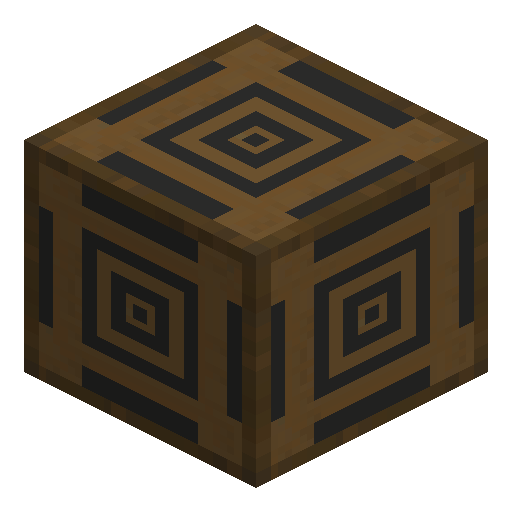
Chargepad
Chargepad is an IndustrialCraft 2 block that charges the electric tools and armor of a player who stands on top.
Description
Chargepad charges items at the output rate of the storage unit, and only items of the matching tier, so a BatBox Chargepad does not charge a Mining Laser. Items charge only while worn in an armor slot or held in the player's hand: an MFE Chargepad charges a worn Electric Jetpack and a held Diamond Drill together at 512 EU/t. A Chargepad tops up several electric items at once, with no need to open a storage unit GUI.
Block properties
| Item ID |
ic2:chargepad
|
|---|---|
| /give command |
/give @p ic2:chargepad
|
| Stackable | Yes (64) |
Guide
How to craft and use a Chargepad in Minecraft
-
1
Choose a storage unit
The chosen BatBox, CESU, MFE, or MFSU sets the input, output, and storage values of the finished Chargepad.
-
2
Craft the Chargepad
The recipe takes two Electronic Circuits, one Stone Pressure Plate, two Rubber, and the storage unit: Electronic Circuit, Stone Pressure Plate, and Electronic Circuit form a row directly above Rubber, the storage unit, and Rubber.
-
3
Supply energy
The placed Chargepad accepts energy at the input rate of its storage unit, for example 128 EU/t for the CESU version.
-
4
Stand on top
The player stands on top of the Chargepad while holding an electric tool or wearing electric armor, and charging starts.
Switching the held item or removing the Electric Jetpack from the armor slot stops charging for the affected items.
How to craft this block



Related blocks

Frequently asked questions
How many Chargepads fit in one stack?
One stack holds 64 Chargepads.
Does Chargepad produce light?
Chargepad emits no light.
How can a player see that Chargepad is charging?
The black lines on the top of Chargepad turn blue, and blue particles appear.
Does Chargepad charge items in the main inventory?
No, Chargepad charges only items in armor slots and in the player's hand.