


Forge Hammer
Forge Hammer is the early-game hand tool in Ala Industrial that turns any ingot into a metal plate on the crafting grid, losing 1 durability per plate.
Description
Crafting a Forge Hammer takes four iron ingots and one stick in a shaped pattern (a head on a handle), and it cannot be enchanted or stacked. Repair it with an iron ingot on an anvil. Forge Hammer is the deliberately expensive manual path to plates — once a Compressor is built, the same ingot-to-plate conversion runs on electricity for 260 EU per plate, so the hammer is meant to bridge the gap until LV automation is ready. The hammer is part of Ala Industrial for Minecraft 26.2 on Fabric or NeoForge.
Block properties
| Item ID |
alaindustrial:forge_hammer
|
|---|---|
| /give command |
/give @p alaindustrial:forge_hammer
|
| Stackable | Yes (64) |
| Java Edition | 26.2 |
Java Edition Guide
How to use the Forge Hammer in Ala Industrial
-
1
Craft the hammer
Place four iron ingots and one stick in a shaped pattern on a crafting table — three ingots across the top, one in the middle, and a stick below — to make one Forge Hammer.
-
2
Combine with an ingot
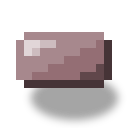
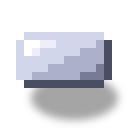
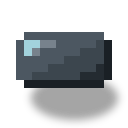
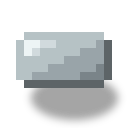
Put the Forge Hammer and any metal ingot (copper, gold, iron, tin, silver, nickel, uranium, or tempered iron) on the crafting grid in any shapeless arrangement.
-
3
Collect the plate
The grid yields one plate of that metal, and the damaged Forge Hammer drops back into the same slot with 1 less durability.
-
4
Shift-craft a stack
Hold Shift while crafting to convert a whole stack of ingots into plates at once — the hammer spends exactly 1 durability per plate and stops on its own when it breaks.
A worn Forge Hammer can be repaired with an iron ingot on an anvil. It cannot be enchanted, so Unbreaking is not an option to extend its 128 durability.
How to craft this block


Frequently asked questions
How many plates does one Forge Hammer make?
About 128. Forge Hammer has a durability of 128 and loses exactly 1 durability per plate, so a fresh hammer stamps out roughly 128 plates before it breaks.
Can the Forge Hammer be enchanted?
No. Forge Hammer is intentionally non-enchantable — the craft-remainder mechanic has no player or level context to process an enchant like Unbreaking, so the tool is honestly unenchantable rather than silently useless.
Is the Forge Hammer renewable?
Yes. Forge Hammer is crafted from four iron ingots and a stick, and both ingredients are renewable, so the tool itself is renewable.
How do you repair the Forge Hammer?
Repair a damaged Forge Hammer with an iron ingot on an anvil. Each repair restores durability, extending the tool's life beyond its base 128 plates.
Which metals can the Forge Hammer turn into plates?
Forge Hammer works on all eight metals Ala Industrial makes plates from: copper, gold, iron, tin, silver, nickel, uranium, and tempered iron.
Is there a machine that replaces the Forge Hammer?
Yes. The Compressor converts an ingot into a plate for 260 EU, so once LV power is available the Compressor automates plate production and the hammer is no longer needed for bulk work.
Minecraft and all related materials are trademarks and copyrights of Mojang Studios © 2009–2026. This site is not an official Minecraft product and is not affiliated with or endorsed by Mojang Studios or Microsoft Corporation.