



Wind Gauge
The Wind Gauge is a power-free hand instrument that measures wind speed where you stand, so a wind mill tower can be sited before the first block is placed.
Description
The scale follows the single wind curve that drives every mill in Ala Industrial, so the number on screen cannot drift away from real generation. Wind is zero at sea level (Y 63) and below, builds toward the clouds, and peaks in a narrow band right under the cloud deck: at Y 192 the Wind Gauge reads 62.5 km/h in clear weather, 93.8 in rain, and 125.0 in a thunderstorm. Above the clouds the air thins — at Y 248 and higher only a 3.8 km/h trace remains, and a tower at Y 230 is weaker than one at Y 127. A closed sky reads 0.0 km/h at any height, with leaves and cobwebs counting as cover, and in the Nether or the End the Wind Gauge reports that there is no wind at all. The recipe stays early-game: two sticks, one glass pane, two tin ingots, and two wooden gears. The Wind Gauge works identically on Fabric and NeoForge for Minecraft 26.2 (Java Edition).
Block properties
| Item ID |
alaindustrial:wind_gauge
|
|---|---|
| /give command |
/give @p alaindustrial:wind_gauge
|
| Stackable | Yes (64) |
| Renewable | No |
| Java Edition | 26.2 |
Java Edition Guide
How to Get and Use the Wind Gauge in Minecraft
-
1
Craft the instrument
Combine two sticks, one glass pane, two tin ingots, and two wooden gears in a crafting table. The Wind Gauge needs no power and no circuits, so it is available long before the first mill.
-
2
Stand at the height you want to test
Climb a tower, scaffolding, or a simple dirt pillar. The Wind Gauge always measures where the player stands, not where the crosshair points.
-
3
Take the reading
Hold the Wind Gauge and press Shift + right-click — in the air or against any block, it makes no difference. The action bar shows height, wind speed in km/h, weather, and whether the sky is open.
-
4
Climb and listen
Move up one block at a time: the reading changes on every block of height, and the chime's pitch rises as the wind strengthens. A dead spot gets the lowest note.
-
5
Compare heights under the clouds
Check the band under the cloud deck first. Wind peaks at Y 192 (62.5 km/h in clear weather), and the Wind Turbine reaches full output only between Y 183 and Y 193.
A closed sky reads 0.0 km/h at any height — leaves and cobwebs count as cover. In the Nether and the End the Wind Gauge shows no number, because mills cannot generate there.
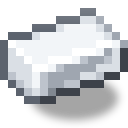
How to craft this block




Related blocks
Frequently asked questions
What does the Wind Gauge do in Ala Industrial?
It measures wind speed in km/h at the spot where the player stands, using the same curve the mod's wind mills generate from. It helps choose a tower height before building and needs no EU to work.
How do I use the Wind Gauge?
Hold it and press Shift + right-click. The action bar shows height, wind speed, weather, and sky state, and the chime's pitch rises as the wind strengthens. A plain right-click is not intercepted, so the instrument never blocks normal block use.
At what height is the wind strongest?
Just under the cloud deck at Y 192: 62.5 km/h in clear weather, 93.8 in rain, and 125.0 in a thunderstorm. Above the clouds the wind collapses, so a tower at Y 230 is weaker than one at Y 127.
Does the Wind Gauge work in the Nether or the End?
No. In both dimensions the Wind Gauge shows no number and reports that there is no wind, matching the mills, which cannot generate there.
What is the Wind Gauge recipe?
Two sticks, one glass pane, two tin ingots, and two wooden gears in a crafting table. It is a plain wooden instrument, craftable long before the first wind mill.
Why does my Wind Gauge read 0.0 km/h high above the ground?
The column of sky above the measuring point must be fully transparent. Leaves and cobwebs count as a closed sky and force a 0.0 km/h reading at any height and in any weather.
Minecraft and all related materials are trademarks and copyrights of Mojang Studios © 2009–2026. This site is not an official Minecraft product and is not affiliated with or endorsed by Mojang Studios or Microsoft Corporation.