


How to Make Reactor Button in Minecraft

Reactor Button
Reactor Button is the shielding-alloy button built to pulse the airlock door of a sealed reactor room from inside, so the room never becomes a trap.
Description
One Shielding Plate plus one stone button crafts two Reactor Buttons on any crafting grid — a shapeless recipe that dresses a familiar vanilla button in shielding alloy. Inside the room, hang Reactor Button on the casing next to the doorway: the button attaches to walls, floors and ceilings, spends no shell cell, and the seal stays whole. An arrow cannot press Reactor Button, so a stray skeleton shot never opens the airlock. Reactor Button runs on redstone alone with a 0 EU buffer, so the exit control keeps working during a power outage. Hardness 0.5 and blast resistance 0.5 are deliberate: Reactor Button is not meant to outlive the wall it hangs on. The mod runs in Minecraft 26.2 Java Edition on Fabric and NeoForge.
Block properties
| Item ID |
alaindustrial:reactor_button
|
|---|---|
| /give command |
/give @p alaindustrial:reactor_button
|
| Stackable | Yes (64) |
| Best tool | Pickaxe |
| Hardness | 0.5 |
| Blast resistance | 0.5 |
| Java Edition | 26.2 |
Java Edition Guide
How to use the Reactor Button in Ala Industrial
-
1
Craft two Reactor Buttons
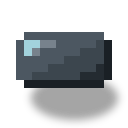
Combine one Shielding Plate and one stone button on any crafting grid — the recipe is shapeless and yields two Reactor Buttons at once.
-
2
Mount the button inside the room
Hang Reactor Button on the inner face of the casing beside the airlock doorway: walls, floors and ceilings all work, and the shell keeps its cell.
-
3
Run redstone to the airlock door
Lay redstone dust from Reactor Button to the airlock door; the 20-tick pulse reliably crosses a long dust trail because the door catches the rising edge.
-
4
Press to leave the room
Click Reactor Button by hand: the button sinks, fires the pulse, and the airlock door opens — after 1 second the button resets on its own.
Reactor Button is not one of the six shell blocks: placed where a casing block belongs, that cell reads as a breach to the scanner. An arrow cannot trigger Reactor Button, so skeleton shots stay harmless.
How to craft this block





Frequently asked questions
How is the Reactor Button crafted?
Combine one Shielding Plate and one stone button in a shapeless recipe; one craft yields two Reactor Buttons.
Why can an arrow not press the Reactor Button?
Reactor Button uses iron-button behaviour: a hand press works, an arrow does not. A stray skeleton arrow therefore cannot open a sealed reactor room.
Does the Reactor Button consume EU?
No. Reactor Button runs on redstone only and stores 0 EU, so the exit control keeps working when the room loses power.
Can the Reactor Button replace a casing block in the shell?
No. The scanner counts six shell blocks and the button is not among them, so that cell becomes a breach. Hang Reactor Button on a face of the casing instead.
How long does the Reactor Button stay pressed?
For 20 ticks — one second, like a vanilla stone button. The airlock door reacts to the signal's rising edge, and half of the door's 40-tick cycle is enough.