


How to Make Network Analyzer in Minecraft

Network Analyzer
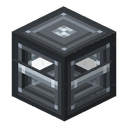
The Network Analyzer is a hand-held tool that reveals a power network's live EU/t flow when you right-click any cable.
Description
The Network Analyzer runs in two stored modes. Traverse walks through storage blocks to light up an entire connected system at once, with a cap on the number of networks per scan, while Stop-at-storage isolates the single segment of the clicked cable for targeted diagnosis. Shift + right-click in air toggles the mode; right-clicking a cable always scans, and right-clicking away from any network clears the trace. The tool is read-only — it changes nothing and never affects energy distribution. Craft it at a workbench from 5 tin ingots, 1 electronic circuit, and 3 copper ingots. It carries no energy tier and works identically on Fabric and NeoForge for Minecraft 26.2 (Java Edition).
Block properties
| Item ID |
alaindustrial:network_analyzer
|
|---|---|
| /give command |
/give @p alaindustrial:network_analyzer
|
| Stackable | Yes (64) |
| Java Edition | 26.2 |
Java Edition Guide
How to use the Network Analyzer in Minecraft
-
1
Craft the tool
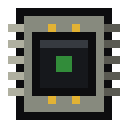
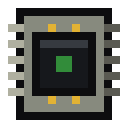
Assemble the Network Analyzer at a workbench: 5 tin ingots across the top and sides, 1 electronic circuit in the center, and 3 copper ingots along the bottom.
-
2
Right-click a cable
Aim at any cable in your power system and right-click. The actionbar prints cable, producer, consumer, and storage counts plus EU/t supply, demand, and last-tick transfer.
-
3
Read the world trace
Colored cube markers appear: green at producers, orange at consumers, and light blue at storage bridges. Animated pulses run along the lines to show the direction energy travels.
-
4
Switch diagnostic modes
Shift + right-click in air to toggle between Traverse, which highlights the whole connected system up to a per-scan cap on networks, and Stop-at-storage, which isolates a single segment.
-
5
Clear the highlight
Right-click into air or a block with no network to clear the trace and stop the visualization.
The Network Analyzer only reads the network — it changes nothing and never affects energy distribution. It works identically on Fabric and NeoForge for Minecraft 26.2 (Java Edition).
How to craft this block




Frequently asked questions
Does the Network Analyzer use energy?
No. The Network Analyzer never connects to a network and stores no EU; it only reads what is already happening in the network you click.
How do you craft the Network Analyzer?
Craft it at a workbench from 5 tin ingots, 1 electronic circuit, and 3 copper ingots in a shaped 3x3 pattern.
What is the difference between Traverse and Stop-at-storage mode?
Traverse walks through storage blocks to highlight an entire connected system at once, up to a per-scan cap on networks, while Stop-at-storage isolates the single network of the clicked cable.
Does the Network Analyzer affect my power network?
No. The tool is read-only; it changes nothing and does not influence energy distribution or throughput.
Can the Network Analyzer show the network through walls?
Yes. The trace is volumetric and visible through walls across several chunks, though it is not drawn in unloaded chunks.
What edition and loaders does the Network Analyzer support?
It is a Java Edition tool for Minecraft 26.2 and works identically on the Fabric and NeoForge loaders.