



Lightning Rod Generator
The Lightning Rod Generator waits under open sky for a lightning strike and banks 20,000 EU per hit in its conductor tip — a rare but huge burst of power, wasted if the tip's reserve is still full.
Description
Block properties
| Item ID |
alaindustrial:lightning_rod_generator
|
|---|---|
| /give command |
/give @p alaindustrial:lightning_rod_generator
|
| Stackable | Yes (64) |
| Best tool | Pickaxe |
| Hardness | 3 |
| Blast resistance | 6 |
| Java Edition | 26.2 |
Guide
Setting up the Lightning Rod Generator
-
1
Craft the block and a tip
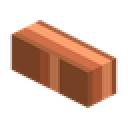
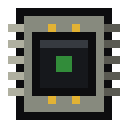
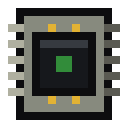
Craft the Lightning Rod Generator from a vanilla lightning rod, a machine casing, copper cables and an electronic circuit, then craft at least a Copper Conductor Tip from copper ingots, an iron plate and copper cable — without a tip fitted, every strike is lost entirely.
-
2
Place it under open sky
Place the Lightning Rod Generator with nothing above it: any roof, leaves or overhang blocks the strike, and a desert or snowy biome never rains at all, so the block will never catch anything there.
-
3
Fit the tip and wire a cable
Insert the conductor tip into the single slot, then attach a cable to any side except the top — the top face is reserved for the strike and never outputs energy.
-
4
Watch the status line and empty the capacitor before the next storm
Read the on-screen status: Armed means it's waiting for a hit, and while it discharges the current output replaces the status text. Drain the capacitor with connected machines or storage before the next thunderstorm, because a still-full reserve doubles the wear on the tip when the next strike is wasted.
-
5
Upgrade the tip as it wears
A worn tip can be repaired at the Component Repair Bench; upgrading from a Copper to a Reinforced or Advanced Conductor Tip raises both the capacitor size and the bleed rate into the network.
How to craft this block






Frequently asked questions
Why does my Lightning Rod Generator never catch a strike?
Three things must all be true: open sky above the block, active rain or a thunderstorm, and a biome where rain actually falls — deserts and snowy biomes never rain, so a rod there will never catch a strike no matter how long you wait.
Does the Lightning Rod Generator ever hurt me or burn my base?
No — the lightning it attracts is purely visual and audio; it does not ignite fire, damage entities, or turn a creeper into a charged creeper, unlike ordinary Minecraft lightning.
What happens if the conductor tip's reserve is already full when a strike lands?
The strike is wasted entirely and the tip takes double wear compared with a caught strike, so it pays to drain the capacitor into cables or storage before the next thunderstorm.
Which side of the Lightning Rod Generator do I connect a cable to?
Any side except the top: the top face is reserved for catching the lightning strike itself and never outputs energy, exactly like the mod's solar panels.
Is it worth upgrading past the Copper Conductor Tip?
Yes — the Reinforced Conductor Tip banks 25,000 EU and bleeds 20 EU/t, and the Advanced Conductor Tip banks 30,000 EU and bleeds 24 EU/t, both lasting far more strikes before needing repair at the Component Repair Bench.
Minecraft and all related materials are trademarks and copyrights of Mojang Studios © 2009–2026. This site is not an official Minecraft product and is not affiliated with or endorsed by Mojang Studios or Microsoft Corporation.