


How to Make Steel Block in Minecraft
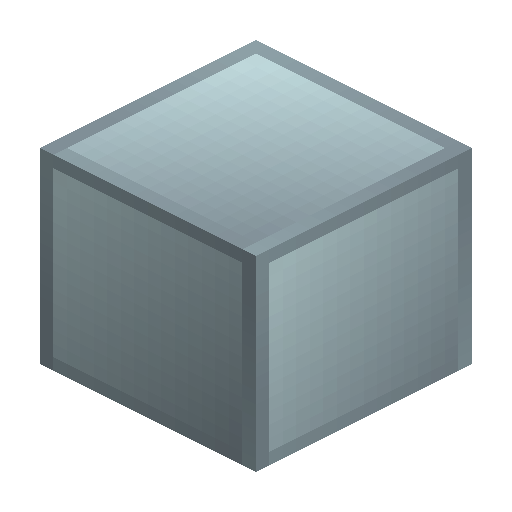
Steel Block
Steel Block is the IndustrialCraft 2 storage block, crafted from nine Steel Ingots on a 3x3 grid for compact storage and industrial builds.
Description
Beyond storage, the only recipe that consumes a Steel Block is the reverse conversion back into nine Steel Ingots; components such as the Steel Shaft are crafted from the ingots themselves, not from the block. Builders reach for Steel Block when a factory wall needs a darker, tougher finish than Block of Iron — the steel-grey tone signals heavy industry in reactor halls, blast-chamber cladding, and assembly-line flooring. A placed Steel Block can be uncrafted back into nine Steel Ingots at any time, so the block doubles as a reserve ingot stack that is easy to break, move, and re-store. For modular IndustrialCraft 2 bases that cycle between ingots and structural blocks, Steel Block keeps the metal visible and accessible without wasting inventory slots.
Block properties
| Item ID |
ic2:steel-block
|
|---|---|
| /give command |
/give @p ic2:steel-block
|
| Stackable | Yes (64) |
| Best tool | Pickaxe |
Java Edition Guide
How to craft and use a Steel Block in IndustrialCraft 2
-
1
Produce Steel Ingots
Smelt Iron Ingots inside an IndustrialCraft 2 Blast Furnace to convert each ingot into Steel, the metal once called Refined Iron in Minecraft 1.7.
-
2
Open a 3x3 crafting grid
Right-click a Crafting Table to open the full nine-slot grid; the 2x2 inventory grid cannot fit the Steel Block recipe.
-
3
Fill every slot with Steel Ingots
Place one Steel Ingot in each of the nine grid slots to assemble one Steel Block.
-
4
Mine the block with a pickaxe
Use any Wooden Pickaxe or stronger to break a placed Steel Block so it drops as an item.
-
5
Uncraft back into ingots
Put a Steel Block anywhere in the crafting grid to recover all nine Steel Ingots for reuse.
Steel Block is an IndustrialCraft 2 item and does not exist in vanilla Minecraft; install the IC2 mod to craft, place, or store Steel.
How to craft this block
 Steel
x9
Steel
x9

Used in crafts






Frequently asked questions
How do you craft a Steel Block in IndustrialCraft 2?
Place nine Steel Ingots in a 3x3 crafting grid on a Crafting Table to produce one Steel Block.
Is the Steel Block the same as the Refined Iron Block?
Yes. In Minecraft 1.7 the IndustrialCraft 2 block was called Refined Iron Block; later IC2 versions renamed it to Steel Block.
Can you uncraft a Steel Block back into ingots?
Yes. Placing a Steel Block in any crafting grid returns all nine Steel Ingots.
What tool do you need to mine a Steel Block?
A Wooden Pickaxe or any stronger pickaxe is required; mining the block by hand drops nothing.
What is the Steel Block used for in IndustrialCraft 2?
Steel Block stores Steel Ingots compactly at a 9:1 ratio and doubles as a dark industrial building block; the only recipe that consumes the block is the uncraft back into nine Steel Ingots.
Does the Steel Block burn or catch fire?
No. Steel Block is flagged non-flammable and behaves like a solid, fireproof storage block.