


How to Make Item Buffer in Minecraft
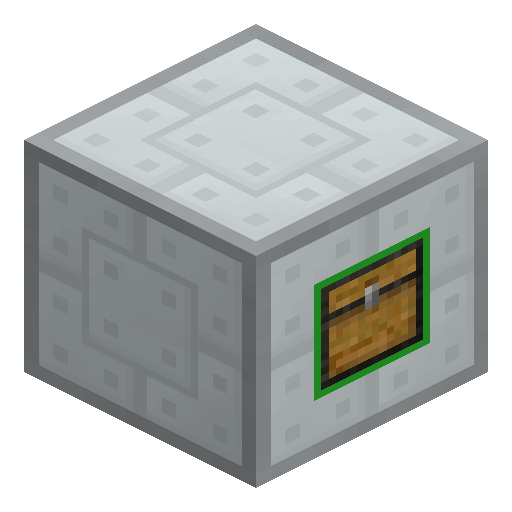
Item Buffer
Item Buffer from Industrial Craft 2 routes items into two separate inventories — vertical and horizontal — without needing any power.
Description
Crafted around a Machine Block with chests and iron-based components on a standard crafting table, Item Buffer is the backbone of compact IC2 sorting setups and pairs especially well with the Electric Sorting Machine. Drop an Ejector Upgrade into the bottom slot of either inventory to auto-push stacks out toward the next machine, hopper, or conveyor. Builders place Item Buffer at crossroads where two item lines must cross without merging, for example routing ore up from a miner while pulling consumables sideways into an automated furnace row. Pick the block up with an IC2 Wrench to keep both inventories intact during relocation.
Block properties
| Item ID |
ic2:item-buffer
|
|---|---|
| /give command |
/give @p ic2:item-buffer
|
| Stackable | Yes (64) |
| Renewable | Yes |
Industrial Craft 2 Guide
How to use an Item Buffer in Industrial Craft 2
-
1
Place the buffer at a line crossing
Set the Item Buffer where a vertical item line and a horizontal item line meet, so each direction feeds its own separate inventory.
-
2
Feed items from the correct side
Drop or pipe items in from above or below to fill the green inventory, or from any side to fill the blue inventory.
-
3
Insert an Ejector Upgrade
Place an Ejector Upgrade in the bottom slot of the inventory you want to auto-empty, and the Item Buffer pushes stacks into the neighbouring block.
-
4
Add an Electric Sorting Machine
Connect an Electric Sorting Machine downstream when items must be split by type rather than simply passed through.
The Item Buffer is fully passive and consumes no EU, so the block keeps routing items during a power outage or in setups with no generator at all.
How to craft this block




Used in crafts



Frequently asked questions
Does the Item Buffer use electricity?
No. Item Buffer is a passive block that needs no EU from Industrial Craft 2's energy network and routes items mechanically like an upgraded hopper.
What is the difference between the green and blue inventories?
Items entering from above or below fill the green inventory, while items entering from any side fill the blue inventory, keeping vertical and horizontal flows separate.
How do you craft an Item Buffer?
Craft an Item Buffer on a standard crafting table around a Machine Block with chests and iron-based components, yielding one buffer per recipe.
How do you push items out of the buffer automatically?
Place an Ejector Upgrade in the bottom slot of the inventory you want to empty, and the Item Buffer ejects stacks into the adjacent block on its own.
Which tool picks up an Item Buffer safely?
Use an IC2 Wrench to pick up an Item Buffer so the block and any stored contents stay intact during relocation.