


How to Make Bronze Block in Minecraft
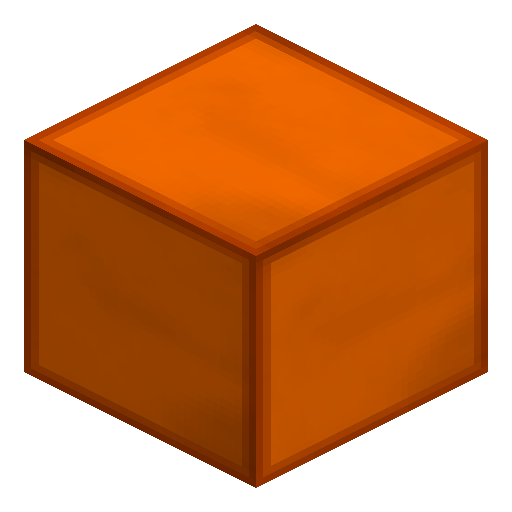
Bronze Block
Bronze Block is the Industrial Craft 2 storage block that compresses nine Bronze Ingots into one copper-toned cube for compact stockpiling and warm-toned building decoration.
Description
Industrial Craft 2 players use Bronze Block chiefly as a stockpile solution that frees nine inventory slots per cube, letting a single chest hold up to 15,552 ingots when filled with stacked Bronze Blocks. Bronze Block serves equally well as a decorative wall and floor material for steampunk and factory-themed builds, pairing visually with Copper Blocks and Machine Blocks. A wooden pickaxe or better is required to harvest Bronze Block so the cube does not shatter on breaking, and Bronze Block stacks to 64 for convenient transport of bulk metal across a base.
Industrial Craft 2 Guide
How to craft and use a Bronze Block in Industrial Craft 2
-
1
Smelt Bronze Ingots first
Combine three Copper Dust with one Tin Dust on a crafting grid to make two Bronze Dust, then smelt the Bronze Dust in a Furnace to obtain Bronze Ingots.
-
2
Fill a 3x3 crafting grid
Place nine Bronze Ingots so every slot of the 3x3 grid of a Crafting Table is occupied, which yields one Bronze Block.
-
3
Store or build with the Bronze Block
Place Bronze Block in a chest to compress nine ingots into one slot, or use Bronze Block as a warm copper-orange accent block in factory and steampunk builds.
-
4
Unwind back to ingots when needed
Put one Bronze Block anywhere in a crafting grid to split it back into nine Bronze Ingots, reversing the recipe with no material loss.
Bronze Block is added by the Industrial Craft 2 mod and does not exist in vanilla Minecraft, so the recipe and the Bronze ingot itself require the mod installed.
How to craft this block
 Bronze
x9
Bronze
x9

Used in crafts






Frequently asked questions
How do you craft a Bronze Block in Industrial Craft 2?
Place nine Bronze Ingots in a 3x3 crafting grid so every slot is filled, and the result is one Bronze Block. Bronze itself comes from smelting Bronze Dust made of three Copper Dust and one Tin Dust.
Can you turn a Bronze Block back into Bronze Ingots?
Yes. Placing one Bronze Block anywhere in a crafting grid splits it back into nine Bronze Ingots with no material loss, following the same 1:9 ratio as Iron Blocks and Gold Blocks.
Does Bronze Block exist in vanilla Minecraft?
No. Bronze Block is added by the Industrial Craft 2 mod, so the block, the Bronze Ingot, and the alloy recipe all require the mod to be installed.
What is Bronze Block used for in Industrial Craft 2?
Bronze Block is a storage block that compresses nine Bronze Ingots into one inventory slot and doubles as a warm copper-orange decorative block for factories and steampunk builds.
What tool do you need to break a Bronze Block?
A wooden pickaxe or better is required so the Bronze Block drops as an item instead of shattering, matching the harvest rule of most IC2 metal blocks.
How many Bronze Ingots fit in a chest full of Bronze Blocks?
A full chest of 27 stacks of 64 Bronze Blocks holds 15,552 Bronze Ingots worth of metal, since each Bronze Block unpacks into nine ingots.