


Barrel Tap — Minecraft block
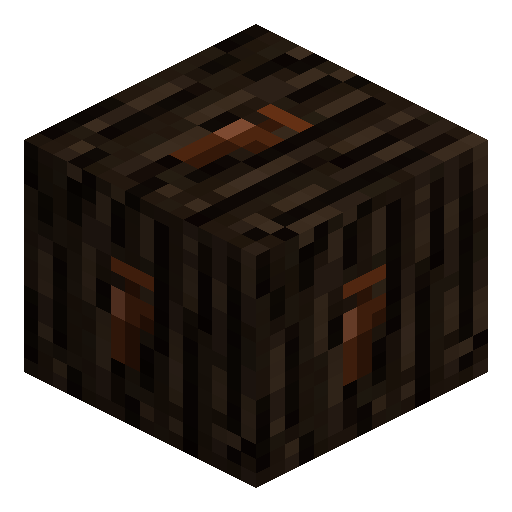
Barrel Tap
Barrel Tap is the IndustrialCraft 2 spout that mounts on a Barrel and dispenses brewed beer into mugs.
Description
Setup Guide
How to install a Barrel Tap on a Barrel in IndustrialCraft 2
-
1
Prepare a finished Barrel
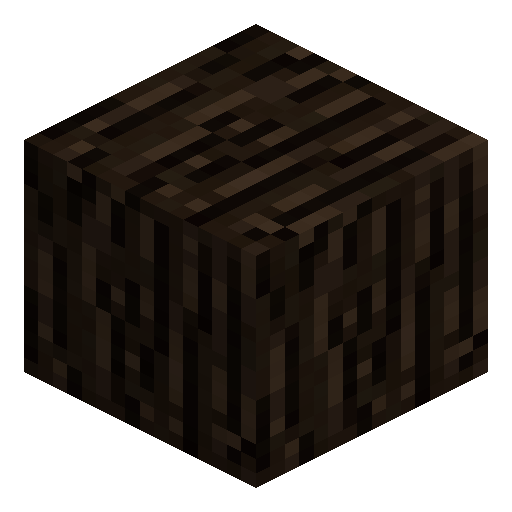
Place a Barrel, load it with wheat, hops and water cells, and let it fully ferment before you attach the Tap.
-
2
Craft the Barrel Tap
Craft one Barrel Tap on a crafting table following the IC2 recipe.
-
3
Choose an access face
Pick the side of the Barrel that faces your walkway so the Tap will be reachable without climbing or jumping.
-
4
Attach the Tap
Right-click the chosen face with the Barrel Tap in hand; the small spout model snaps onto the Barrel surface.
-
5
Fill mugs with beer
Hold empty mugs and right-click the Tap; each click pours one mug until the Barrel is drained.
Hit the Tap with your fist or any pickaxe to break it off. The Barrel itself stays intact and keeps its remaining contents.






Frequently asked questions
Can I attach a Barrel Tap to anything except an IC2 Barrel?
No. The Tap is keyed to the IC2 Barrel block and snaps only on its side faces; it does nothing on chests or other containers.
Do I need a Tap to brew beer?
Brewing happens inside the Barrel without a Tap, but you cannot extract beer at all until a Tap is mounted, so a Tap is mandatory in practice.
How many Taps can one Barrel hold?
One Tap per Barrel face — practically one Tap is enough since both share the same internal tank.
Does the Tap pour automatically into a hopper?
No. The Tap requires a player right-click with empty mugs; it does not output items to hoppers or pipes.
Can the Barrel Tap break the Barrel when removed?
No. Breaking the Tap drops only the Tap item; the Barrel stays in place with its remaining beer intact.