



Garden Drone
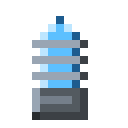
The Garden Drone is the aircraft that brings a Garden Drone Station to life, automatically tilling, planting, fertilizing, and harvesting a 9×9 farm.
Description
Once docked and powered, the Garden Drone lifts off the station and patrols every block within a 4-block radius — enough to tend a 9×9 field. Each flight ends with exactly one action: harvesting a ripe crop, planting a seed into empty farmland, fertilizing an immature crop with bone meal, or tilling a free dirt block, in that priority order. Every completed action draws 8 EU from the station's 4000 EU buffer, while an idle station costs nothing. The Garden Drone flies at 11 ticks per block and never leaves the station's zone: it is rendered by the station itself, not spawned as a free-flying entity, so it cannot wander off or be redirected. Tilling and harvesting also spend 1 durability point from the hoe in the station's hoe slot; planting and fertilizing need no hoe.
Block properties
| Item ID |
alaindustrial:garden_drone
|
|---|---|
| /give command |
/give @p alaindustrial:garden_drone
|
| Stackable | Yes (64) |
| Java Edition | 26.2 |
Java Edition Guide
How to use a Garden Drone in Minecraft
-
1
Craft the drone
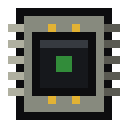
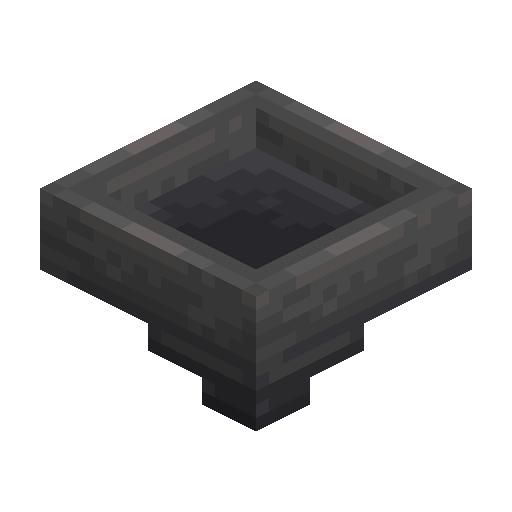
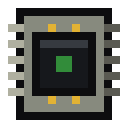
Place 4 copper ingots in the corners of a crafting table, put 2 iron ingots and 1 Electronic Circuit in the middle row, and set 1 hopper directly beneath the circuit.
-
2
Place a Garden Drone Station
The drone needs its dock: set the Garden Drone Station block beside the farmland it should tend.
-
3
Dock the drone
Open the station interface and put the Garden Drone into the drone slot — until then the station reports "No drone docked" and never lifts off.
-
4
Load the supplies
Fill the seed slot with seeds, the fertilizer slot with bone meal, and the hoe slot with any hoe: tilling and harvesting spend the hoe's durability.
-
5
Connect LV power
Hook the station to any LV source (up to 32 EU/t); every completed field action costs 8 EU from the 4000 EU buffer.
The Garden Drone tends a 4-block radius around the station — a 9×9 area — and never leaves this zone.
How to craft this block





Frequently asked questions
Does the Garden Drone fly around freely?
No. The Garden Drone only operates inside a Garden Drone Station: it is drawn by the station's own renderer and cannot leave the 4-block radius around the dock.
How do you craft a Garden Drone?
Combine 4 copper ingots, 2 iron ingots, 1 Electronic Circuit, and 1 hopper in a crafting table — copper in the corners, the circuit in the center, and the hopper beneath it.
Does the Garden Drone work without a hoe?
Partially. Planting and fertilizing need no hoe, but tilling and harvesting spend 1 durability from the station's hoe slot and will not run without one.
How much energy does the Garden Drone use?
Each completed action costs 8 EU from the station's 4000 EU buffer. An idle station with nothing left to do consumes 0 EU.
Is the Garden Drone consumed by the station?
No. The drone occupies the station's drone slot as a regular item, and the station simply stays dormant while the slot is empty.
Which crops does the Garden Drone harvest?
Every vanilla crop — wheat, carrots, potatoes, beetroot — plus pumpkin and melon stems, cactus and sugar cane bases, and berry bushes.
Minecraft and all related materials are trademarks and copyrights of Mojang Studios © 2009–2026. This site is not an official Minecraft product and is not affiliated with or endorsed by Mojang Studios or Microsoft Corporation.