



Teleporter
Teleporter is an HV station-and-remote pair in Ala Industrial that jumps you home for EU, with a 5-second warmup and a safe landing.
Description
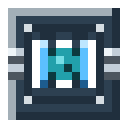
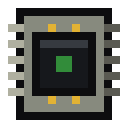
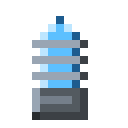
Every Teleporter jump runs a 5-second warmup, a visible purple vortex, and lands you safely on top of the station, which guarantees a clear space rather than dropping you into lava or a wall. Stepping more than 2 blocks, taking damage, or logging out cancels the jump for free, because energy is only spent after you land — so you can finish mining and leave, but you cannot teleport out of a fight. A 60-second cooldown follows each jump. Stations are private by default and a stolen remote is useless, since it binds to its first owner, so your base stays protected. The station is an ordinary HV consumer that accepts up to 512 EU per tick on five faces, and because Ala Industrial ships no HV cabling yet, a full buffer takes about 35 minutes over a copper cable or 26 minutes from a single geothermal generator. Craft the station from two electronic circuits, an eye of ender, two copper coils, a block of diamond, and three uranium ingots; then craft the cheaper remote from an ender pearl, an electronic circuit, and three tempered iron.
Block properties
| Item ID |
alaindustrial:teleporter
|
|---|---|
| /give command |
/give @p alaindustrial:teleporter
|
| Stackable | Yes (64) |
| Best tool | Pickaxe |
| Hardness | 5 |
| Blast resistance | 12 |
| Java Edition | 26.2 |
Java Edition Guide
How to use the Teleporter in Ala Industrial
-
1
Place and power the station
Put the Teleporter station at your base on a solid surface and wire it to your power network. It banks up to 500,000 EU and accepts up to 512 EU per tick on any of five faces.
-
2
Bind the remote to the station
Hold the Teleporter Remote and shift-right-click the station. The point is saved to the remote, which can remember up to 16 separate stations.
-
3
Open the destination list
Right-click the remote anywhere — even underground with no sky visible — to open the list of saved stations, with the first one already selected.
-
4
Jump home
Pick a station and hit Teleport. A 5-second warmup begins, then you land safely on top of the station. The target station pays the EU cost from its own buffer.
Stepping more than 2 blocks, taking damage, dying or logging out cancels the warmup for free — energy is spent only after you land, so you cannot teleport out of combat.
How to craft this block
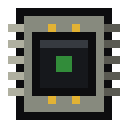 Electronic Circuit
x2
Electronic Circuit
x2
 Eye of Ender
x1
Eye of Ender
x1
 Copper Coil
x2
Copper Coil
x2
 Block of Diamond
x1
Block of Diamond
x1
 Uranium Ingot
x3
Uranium Ingot
x3

Frequently asked questions
How does the Teleporter work in Ala Industrial?
The Teleporter is an HV station you place at your base plus a handheld remote. Bind them with shift-right-click, then right-click the remote anywhere to open a list of up to 16 saved stations and jump to one.
How much EU does a Teleporter jump cost?
Each jump costs 5,000 EU plus 5 EU per block of distance, multiplied by a weight of 1.0 to 2.0 based on how full your inventory is. A short hop is about 5,500 EU; a 10,000-block run with full pockets can reach 110,000 EU.
Can you teleport out of combat?
No. The 5-second warmup is cancelled by taking damage, stepping more than 2 blocks, dying, or logging out, and the EU is spent only after you land, so the Teleporter cannot be used to escape a fight.
How do you charge the Teleporter station?
The station is an HV consumer that accepts up to 512 EU per tick and banks 500,000 EU. With no HV cable in Ala Industrial yet, a full charge takes about 35 minutes over a copper cable or 26 minutes from a single geothermal generator.
Is the Teleporter private?
Yes. Stations are private by default and only the owner may jump to one. A stolen remote is useless because it binds to whoever first used it, so it will never lead a thief to your base.
How is the Teleporter crafted?
The station takes two electronic circuits, an eye of ender, two copper coils, a block of diamond, and three uranium ingots. The remote is cheaper: an ender pearl, an electronic circuit, and three tempered iron.
Minecraft and all related materials are trademarks and copyrights of Mojang Studios © 2009–2026. This site is not an official Minecraft product and is not affiliated with or endorsed by Mojang Studios or Microsoft Corporation.