



Silver Chest
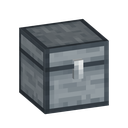
Silver Chest is a 45-slot storage block from Ala Industrial — one row more than the Iron Chest, using no energy.
Description
Two Silver Chests placed side by side and facing the same way merge into one double chest of 90 slots, following vanilla chest placement rules — without sneaking a new chest joins a matching neighbour automatically, sneaking keeps it single, and different tiers never merge. The double's window shows six rows with a scrollbar for the rest, both lids lift together, and a hopper or item pipe that fills one half continues into the other. A comparator reads the chest's fullness — the combined total for a double — and the chest can be waterlogged like a vanilla one. Any pickaxe breaks the Silver Chest; it drops itself and spills its contents, so empty it before moving it. Higher tiers continue with the Gold Chest at 54 slots and the Electrum Chest at 81, and a Stock Display Frame hung on either half of a double shows the exact combined count.
Block properties
| Item ID |
alaindustrial:silver_chest
|
|---|---|
| /give command |
/give @p alaindustrial:silver_chest
|
| Stackable | Yes (64) |
| Best tool | Pickaxe |
| Renewable | No |
| Hardness | 3 |
| Blast resistance | 6 |
| Java Edition | 26.2 |
Java Edition Guide
How to craft and use the Silver Chest in Minecraft
-
1
Collect eight silver ingots
Mine silver ore with a stone pickaxe or better and smelt the raw silver into ingots — a regular furnace gives one ingot per ore, while the mod's Macerator doubles the yield.
-
2
Upgrade an Iron Chest
Place an Iron Chest in the center of a 3×3 crafting grid and surround it with the eight silver ingots. The craft yields one Silver Chest, and every item stored inside the Iron Chest carries over.
-
3
Place it and fill it
Set the Silver Chest down and open it: you get a five-by-nine storage window with no energy bars. Shift-click moves whole stacks between the chest and your inventory.
-
4
Double it to 90 slots
Place a second Silver Chest against the first, facing the same way — they merge into a 90-slot double chest with six visible rows and a scrollbar for the rest. Hoppers and item pipes treat the double as a single container.
-
5
Read the fill level
A comparator outputs a signal based on how full the Silver Chest is, reading the combined total from either half of a double. A Stock Display Frame hung on the chest shows the exact item count on the frame itself.
Different chest tiers never merge into a double chest, and breaking one half returns the other half to a single chest. Any pickaxe breaks the Silver Chest — it drops itself and spills its contents, while the upgrade craft is the safe way to move a full chest.
How to craft this block


Used in crafts






Frequently asked questions
How do you craft a Silver Chest in Ala Industrial?
Put an Iron Chest in the center of a crafting grid and surround it with eight silver ingots. The Silver Chest keeps every item stored in the old chest.
How many slots does the Silver Chest have?
45 slots in five rows of nine — nine more than the Iron Chest. Two Silver Chests merged into a double chest hold 90 slots together.
Does the Silver Chest need energy?
No. The Silver Chest is pure storage with no energy requirement — it never draws EU and works without any cable or generator.
Can two Silver Chests form a double chest?
Yes. Two Silver Chests placed side by side and facing the same direction merge into a 90-slot double chest. Different tiers never merge with each other.
What tool breaks the Silver Chest?
Any pickaxe breaks it. The Silver Chest drops itself and spills its contents on the ground, so empty it first if you want to move it safely.
Do hoppers and comparators work with the Silver Chest?
Both work. A hopper or item pipe that fills one half of a double chest continues into the other half, and a comparator reads the chest's fullness — the combined total from either half.
Minecraft and all related materials are trademarks and copyrights of Mojang Studios © 2009–2026. This site is not an official Minecraft product and is not affiliated with or endorsed by Mojang Studios or Microsoft Corporation.