


How to Make Random Jump Chip in Minecraft

Random Jump Chip
Random Jump Chip is the one-use upgrade for the Ala Industrial teleporter: shift-right-click a station, and it learns to throw you 500–5000 blocks away.
Description
Random Jump Chip is fitted by hand rather than dropped into a slot: hold it and shift-right-click a placed teleporter station, because a plain right-click only opens the station's screen. The chip is consumed and that HV station keeps the module for good — one chip, one station — and the upgrade even survives the station being broken, riding the dropped item together with its stored EU. After the installation, select the station in the teleporter remote and press Random: for a flat 50 000 EU the station throws the player to a random point in a ring 500–5000 blocks out, in the Overworld only, with the usual 5-second warmup and 60-second cooldown. The landing spot is checked against up to 8 candidates — no lava, no water, no cacti, not inside a block — and when no safe spot is found, the jump is cancelled for free.
Block properties
| Item ID |
alaindustrial:rtp_chip
|
|---|---|
| /give command |
/give @p alaindustrial:rtp_chip
|
| Stackable | Yes (64) |
| Java Edition | 26.2 |
Guide
How to install a Random Jump Chip
-
1
Craft the chip on a crafting table
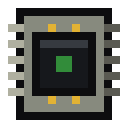
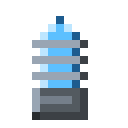
Place a chorus fruit in the top row, an Empty Chip in the centre with a Resonance Coil on each side, and redstone in the bottom row; the grid yields one Random Jump Chip.
-
2
Approach the teleporter station with the chip
Travel to the placed HV teleporter station that should learn the random jump, holding the Random Jump Chip in hand.
-
3
Shift-right-click the station
Sneak and right-click the teleporter: the chip is consumed and the station keeps the upgrade for good. A plain right-click only opens the station's screen.
-
4
Press Random in the remote
Open the teleporter remote, select the upgraded station and press Random; after a 5-second warmup the station throws you somewhere 500–5000 blocks out.
A Random Jump Chip cannot be taken back out, but the upgrade survives the station being broken — the module rides the dropped item together with the stored EU. A random jump costs the station a flat 50 000 EU and works in the Overworld only.
How to craft this block







Frequently asked questions
How much does a random jump cost?
A random jump costs a flat 50 000 EU paid from the upgraded teleporter station's buffer. The price is flat because the landing point is unknown until the dice are thrown, so the tooltip can show the full price before you press.
Where can a random jump take me?
Random Jump Chip sends the player to a random point in a ring 500–5000 blocks from the station, and it works in the Overworld only: the Nether bedrock ceiling and the End void make an honest surface search impossible.
Is the landing safe?
The teleporter checks up to 8 candidate spots — no lava, no water, no cacti, not buried inside a block, with two clear blocks overhead. If no safe spot is found, the jump is cancelled for free and you can simply press Random again.
Can I move the chip to another station?
No. One Random Jump Chip upgrades one teleporter permanently and cannot be extracted. Breaking the station keeps the module on the dropped item, so a whole base can move without losing the upgrade.
Do I need a machine to craft the chip?
No. Random Jump Chip is an ordinary crafting-table recipe — chorus fruit, two Resonance Coils, an Empty Chip and redstone. The whole resonance chain of Ala Industrial is built on the workbench.