


Orange Dye
Orange Dye colours wool, terracotta, beds, and banners orange — crafted from an Orange Tulip or by mixing Red Dye with Yellow Dye.
Description
Block properties
| Item ID |
minecraft:orange_dye
|
|---|---|
| /give command |
/give @p minecraft:orange_dye
|
| Stackable | Yes (64) |
| Renewable | Yes |
Java & Bedrock Guide
How to craft and use Orange Dye in Minecraft
-
1
Gather a dye source
Pick an Orange Tulip from plains, sunflower plains, or flower forest biomes, or collect one Red Dye and one Yellow Dye.
-
2
Open the crafting grid
Place a single Orange Tulip in any slot, or put one Red Dye next to one Yellow Dye in the 2x2 or 3x3 grid.
-
3
Collect the dye
Take one Orange Dye from a tulip, or two Orange Dye from the Red Dye plus Yellow Dye combination.
-
4
Apply the colour
Combine Orange Dye with wool, terracotta, glass, a bed, or a candle, or right-click a sheep or tamed wolf collar with it.
Since Minecraft 1.20 you can also craft one Orange Dye from a Torchflower grown with Torchflower Seeds.
How to craft this block


 Orange Tulip
x1
Orange Tulip
x1
 Torchflower
x1
Torchflower
x1
Used in crafts
- Painter Orange
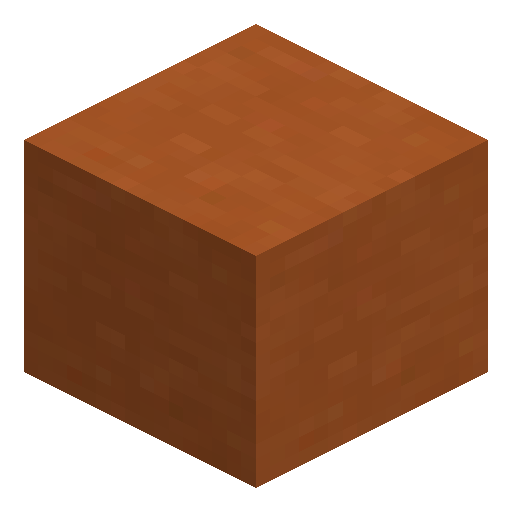
- Orange Terracotta
- Orange Shulker Box
- Orange Bundle
- Orange Harness
- Orange Candle
- Orange Bed
- Orange Stained Glass Pane
- Orange Stained Glass
- Orange Concrete Powder
- Yellow Terracotta
- Orange Terracotta



Frequently asked questions
How do you make Orange Dye in Minecraft?
Place a single Orange Tulip in the crafting grid for one Orange Dye, or combine one Red Dye with one Yellow Dye to get two Orange Dye.
Can Orange Dye be used on sheep?
Yes. Right-click a sheep with Orange Dye to turn its wool orange, then shear it for a renewable supply of orange wool.
Does Orange Dye work in both Java and Bedrock Edition?
Yes. Orange Dye behaves identically in Java and Bedrock Edition and can colour wool, terracotta, beds, candles, and banners.
What flowers give Orange Dye?
An Orange Tulip crafts into one Orange Dye, and since Minecraft 1.20 a Torchflower also produces one Orange Dye.
Minecraft and all related materials are trademarks and copyrights of Mojang Studios © 2009–2026. This site is not an official Minecraft product and is not affiliated with or endorsed by Mojang Studios or Microsoft Corporation.