


How to Make Acacia Log in Minecraft

Acacia Log
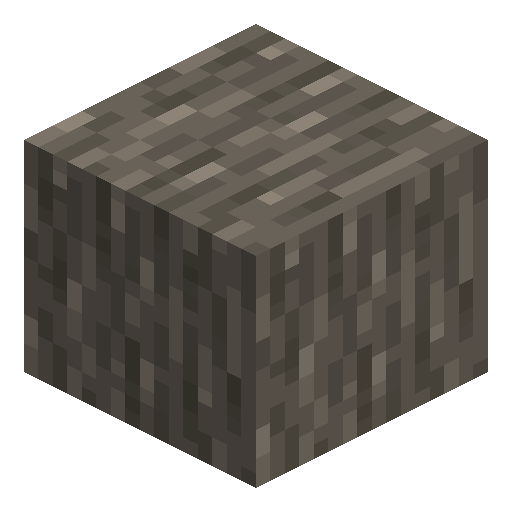
Acacia Log shows a striking grey bark over orange wood — the most colour-contrasting log in the game.
Description
The block strips with an axe to reveal the full orange surface, smelts to charcoal in a furnace, and crafts to four matching planks per unit on the crafting grid. Four logs in a 2×2 produce acacia wood, the six-sided bark variant ideal for decorative pillars. Builders often combine the stripped variant with terracotta and sand to recreate desert architecture, or use the bark side as a deliberate grey accent against warmer tones.
Block properties
| Item ID |
minecraft:acacia_log
|
|---|---|
| /give command |
/give @p minecraft:acacia_log
|
| Stackable | Yes (64) |
| Best tool | Axe |
| Renewable | Yes |
| Hardness | 2 |
| Blast resistance | 2 |
| Java Edition | 1.7.2 |
Guide
How to get Acacia Log in Minecraft
-
1
Find one of the three savanna biomes
Acacia Log only grows in savanna, savanna plateau, and windswept savanna biomes. Look for flat, dry terrain with orange-and-grey acacia trees — they have a distinctive umbrella-shaped canopy.
-
2
Craft or find an axe
Any axe tier works — wooden, stone, iron, gold, diamond, or netherite. An axe breaks Acacia Log the fastest; bare hands work but are roughly 4× slower.
-
3
Chop the acacia tree trunk
Hold attack on each log block in the trunk. Each Acacia Log block drops 1 Acacia Log. A typical acacia tree trunk is 2–4 logs tall, plus branch logs.
-
4
Collect all dropped log items
Walk over the dropped Acacia Log items to pick them up. Dropped items despawn after 5 minutes, so collect them before leaving.
-
5
Grow your own supply with acacia saplings
Acacia Saplings drop from acacia leaves with a 5% (1 in 20) chance. Plant a sapling on grass or dirt and use bonemeal to grow a new acacia tree instantly.
Right-click (use) an axe on an Acacia Log in the world to strip it, converting it into a Stripped Acacia Log. The stripped variant shows only the orange wood end-grain texture on all sides and is popular for interior builds.
How to craft this block






Frequently asked questions
Where do acacia trees grow in Minecraft?
Acacia trees grow exclusively in savanna, savanna plateau, and windswept savanna biomes. These biomes feature flat, dry terrain and are identifiable by the distinctive orange-and-grey acacia trees with their umbrella-shaped canopy.
What is the best tool to chop Acacia Log?
Any axe is the best tool for chopping Acacia Log — it breaks the block the fastest regardless of tier (wooden, stone, iron, gold, diamond, or netherite). Bare hands also work but take roughly 4 times longer.
How many planks does 1 Acacia Log give?
1 Acacia Log yields exactly 4 Acacia Planks. Place the log in any slot of a crafting grid (2×2 or 3×3) to produce the planks.
Can you get charcoal from Acacia Log?
Yes. Smelting 1 Acacia Log in a furnace produces 1 charcoal. The smelting process takes 10 seconds and requires 1 unit of fuel. Charcoal functions identically to coal as a fuel or for crafting torches.
What is the difference between Acacia Log and Acacia Wood?
Acacia Log has two distinct textures — orange wood on the top/bottom end-grain faces and grey bark on the four side faces. Acacia Wood is crafted by placing 4 Acacia Logs in a 2×2 pattern, producing 3 Acacia Wood blocks that show the grey bark texture on all 6 sides.
Can you strip an Acacia Log?
Yes. Right-click (or use the interact button) on an Acacia Log placed in the world while holding any axe to strip it. Stripping converts the Acacia Log into a Stripped Acacia Log, which displays the orange wood texture on all six faces.