



Acacia Planks
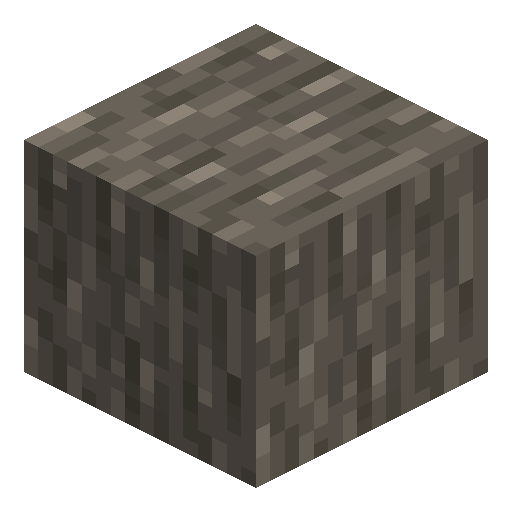
Acacia Planks burst with a vivid orange tone, the boldest wood option for savanna builds and desert outposts.
Description
The orange tone makes Acacia Planks a builder's accent block: a stripe of them across an oak roof, a frame around a desert window, a deck behind sand-coloured walls. They craft into the full set of doors, fences, slabs, stairs, signs, boats, ladders, and chests, which means a savanna village can be built end-to-end without ever importing other wood. The material burns and smelts identically to its cousins.
Block properties
| Item ID |
minecraft:acacia_planks
|
|---|---|
| /give command |
/give @p minecraft:acacia_planks
|
| Stackable | Yes (64) |
| Best tool | Axe |
| Renewable | Yes |
| Hardness | 2 |
| Blast resistance | 3 |
| Java Edition | 1.7.2 |
Java & Bedrock Guide
How to Craft and Use Acacia Planks in Minecraft
-
1
Find a savanna biome
Acacia trees grow only in savanna, windswept savanna, and savanna plateau biomes. Look for flat open terrain covered in tall brown grass with scattered trees that have a distinctive bent trunk and Y-shaped canopy.
-
2
Harvest acacia logs
Break acacia log blocks with your fist or any tool — an axe is fastest. Collect as many logs as needed, since each acacia log converts to exactly 4 Acacia Planks on the crafting grid.
-
3
Convert logs to Acacia Planks
Open your inventory (press E) and place one or more acacia logs into any crafting slot. No specific arrangement is required — each log instantly yields 4 Acacia Planks.
-
4
Craft wood-based items
Use Acacia Planks to craft the full acacia wood set: doors, trapdoors, fences, fence gates, slabs, stairs, signs, pressure plates, buttons, boats, ladders, and chests — all in the distinctive orange tone.
-
5
Use as furnace fuel if needed
Acacia Planks smelt 1.5 items per plank in a furnace or blast furnace, making them a reliable early-game fuel source when coal is scarce.
Acacia Planks catch fire from lava, campfires, and spreading flame. Avoid placing them directly adjacent to open flame sources in survival builds.
How to craft this block



Used in crafts
- Acacia Boat
- Acacia Sign
- Acacia Button
- Acacia Pressure Plate
- Acacia Trapdoor
- Acacia Door
- Acacia Fence Gate
- Acacia Fence
- Acacia Slab
- Acacia Stairs




Frequently asked questions
How do you craft Acacia Planks in Minecraft?
Place one acacia log in any crafting slot — the 2×2 inventory grid or a crafting table. No pattern is needed. Each log yields 4 Acacia Planks.
Where do acacia trees grow?
Acacia trees grow exclusively in savanna, windswept savanna, and savanna plateau biomes. These biomes feature flat terrain, brown grass, and a warm climate.
What can you craft with Acacia Planks?
Acacia Planks craft into doors, trapdoors, fences, fence gates, slabs, stairs, signs, pressure plates, buttons, boats, ladders, chests, and barrels — the full acacia wood item set.
Are Acacia Planks flammable?
Yes, Acacia Planks catch fire from lava, campfires, and spreading flames. Each plank also works as furnace fuel and smelts 1.5 items per plank.
What makes Acacia Planks different from other wood planks?
Acacia Planks have a vivid orange color — the most distinctive tone of any vanilla wood type — and a diagonal streak texture that makes them immediately recognizable across a wall or roof.
When were Acacia Planks added to Minecraft?
Acacia Planks were added in Java Edition 1.7.2 (October 2013) alongside the savanna biome and acacia trees. Bedrock Edition received them in Alpha 0.9.0 (2014).
Minecraft and all related materials are trademarks and copyrights of Mojang Studios © 2009–2026. This site is not an official Minecraft product and is not affiliated with or endorsed by Mojang Studios or Microsoft Corporation.