


How to Make Oak Stairs in Minecraft

Oak Stairs
Oak Stairs are the most-used staircase in Minecraft — six planks make four stairs, with corner shapes and upside-down placement built in.
Description
For movement, the block counts as a half-block riser, so players walk up without needing to jump. Orientation is set at placement time by the player's facing direction and which face of the target block is clicked — placing it against a ceiling instead of a floor flips it upside-down, giving inverted overhang shapes useful for cornices and architectural ledges. There is no way to rotate a placed stair afterward; a misplaced one has to be broken and placed again. The block burns in fire and lava and accepts torches, signs, and most surface-mounted blocks on its flat top half. Stair variants exist for every wood family, every stone variant, and most decorative blocks in the game.
Block properties
| Item ID |
minecraft:oak_stairs
|
|---|---|
| /give command |
/give @p minecraft:oak_stairs
|
| Stackable | Yes (64) |
| Best tool | Axe |
| Renewable | Yes |
| Hardness | 2 |
| Blast resistance | 3 |
Java Edition Guide
How to use Oak Stairs in Minecraft
-
1
Craft Oak Stairs
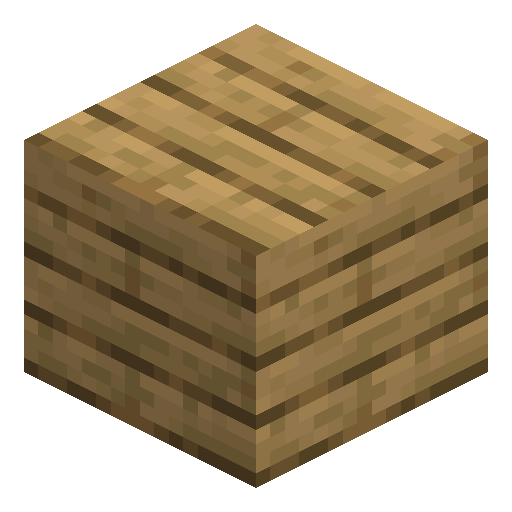
Open a crafting table and place 6 oak planks in a stair pattern: fill the bottom row (3 planks), then place 2 planks in the middle-left and center, and 1 plank in the top-left. This yields 4 Oak Stairs. The stonecutter only works with stone-type blocks, so it cannot shortcut this recipe.
-
2
Place the stairs
Right-click a surface to place Oak Stairs. When placed on a floor, they appear as a rising step facing toward you. When placed on a ceiling (right-click the underside of a block), they automatically flip upside-down, creating a descending overhang or arch shape.
-
3
Use corner shapes
Place two Oak Stairs perpendicular to each other so their open sides meet at a corner. Minecraft automatically adjusts the stair shape to fill the inner or outer corner — no extra blocks needed. This works with stairs of any wood type, so you can freely mix materials in a staircase build.
-
4
Apply to roofs and arches
For a classic gabled roof, place Oak Stairs on both slopes with the riser facing inward, then top the ridge with a matching slab. For arches and doorways, place upside-down stairs above the opening to create a curved top without gaps. Oak Stairs are flammable, so avoid placing them near open fire or lava in survival builds.
Oak Stairs connect seamlessly with all other stair variants (stone, brick, jungle, etc.) to form corners. The game recalculates the shape of any stair block the moment a neighboring stair is placed or removed.
How to craft this block




Frequently asked questions
How do you craft Oak Stairs in Minecraft?
Place 6 oak planks in a stair pattern on a crafting table to get 4 Oak Stairs. The stonecutter cannot make them — it only accepts stone-type blocks, not planks.
Can you place Oak Stairs upside-down?
Yes. Right-click the underside of a block (ceiling face) and Oak Stairs will be placed upside-down automatically. You can also sneak and place them on a surface to flip orientation in some cases. Upside-down stairs are commonly used to build arches and overhangs.
Do Oak Stairs burn?
Yes, Oak Stairs are flammable like all oak wood blocks. Fire can spread to them from nearby flames or lava, so avoid placing them adjacent to fire sources in survival mode.
What is the difference between Oak Stairs and Oak Slabs?
Oak Stairs occupy a full block width but only half the height on one side, creating a step that lets you walk up without jumping. Oak Slabs are exactly half a block tall and two slabs stacked vertically fill a full block. Stairs are for climbing; slabs are for flat half-height surfaces or combining into full blocks.