




Monitor Core
Monitor Core powers Ala Industrial's monitoring wall, holding up to ten Capacity Cards and feeding live chest counts to every connected panel.
All versions
Description
Monitor Core is crafted at a crafting table from four Reinforced Amethyst, two Electrum Plate, two Advanced Circuit and one Energy Crystal, and it comes out as a full cube with 3.0 hardness and 6.0 blast resistance that only a pickaxe can break. Monitor Core is the brain of Ala Industrial's monitoring wall: it draws power through any face but its front, holds a rack of ten Capacity Card sockets, and reads containers over Smart Wire once every second for the whole wall at once. Each Capacity Card raises the tracked-item limit by six types, so a full rack of ten cards lets Monitor Core watch sixty types across every wired chest, barrel and shulker.
Right-clicking Monitor Core opens a screen with the card rack, current capacity, stored energy and upkeep — a base draw plus one extra EU per tick for every panel actually showing a number, so an idle panel costs nothing. Shift + right-click with a card in hand seats it without opening the screen, and a full rack refuses the item instead of swallowing it. Monitor Core only ever reads: items stay physically in their chests, nothing moves through the network, and exactly one core is allowed per connected wall — a second core added to the same system stops the whole wall.
Right-clicking Monitor Core opens a screen with the card rack, current capacity, stored energy and upkeep — a base draw plus one extra EU per tick for every panel actually showing a number, so an idle panel costs nothing. Shift + right-click with a card in hand seats it without opening the screen, and a full rack refuses the item instead of swallowing it. Monitor Core only ever reads: items stay physically in their chests, nothing moves through the network, and exactly one core is allowed per connected wall — a second core added to the same system stops the whole wall.
Block properties
| Item ID |
alaindustrial:monitor_core
|
|---|---|
| /give command |
/give @p alaindustrial:monitor_core
|
| Stackable | Yes (64) |
| Best tool | Pickaxe |
| Hardness | 3 |
| Blast resistance | 6 |
| Java Edition | 26.2 |
Guide
Setting Up Monitor Core
-
1
Smelt Reinforced Amethyst
Feed 4 Amethyst Shards and 1 Silver Dust into an Alloy Smelter at 1200 EU to get Reinforced Amethyst — the material Monitor Core is built from.
-
2
Craft Monitor Core
Combine 4 Reinforced Amethyst, 2 Electrum Plate, 2 Advanced Circuit and 1 Energy Crystal on a crafting table to get Monitor Core.
-
3
Power Monitor Core
Feed a power cable into any face of Monitor Core except the front — the front is reserved for its screen and card rack.
-
4
Wire up containers
Run Smart Wire from Monitor Core to chests, barrels, shulkers or the mod's own chests so Monitor Core can read what is inside them.
-
5
Fit a Capacity Card and add panels
Shift + right-click Monitor Core with a Capacity Card to seat it, then build Monitor Panel blocks against Monitor Core to display the tracked items.
Reading the lamp
The lamp on Monitor Core's screen tells you what's wrong in one line — "Fit a capacity card" or "Not enough power" — before any panel goes dark.
How to craft this block
Crafting

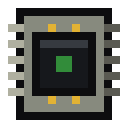
 Monitor Core

1





Frequently asked questions
How many item types can Monitor Core track?
Each Capacity Card fitted into Monitor Core adds six tracked item types, and a full rack of ten cards raises the ceiling to sixty types across the whole wall.
Why does a panel on a wall with Monitor Core show nothing?
Without at least one Capacity Card seated in Monitor Core, every panel shows a yellow "x" no matter how many chests are wired.
Can Monitor Core see inside a shulker box stored in a chest?
No, Monitor Core reads only the top-level slots of a wired container, so items packed inside a nested shulker box are not counted.
What breaks Monitor Core?
Monitor Core needs a pickaxe and has 3.0 hardness with 6.0 blast resistance, the same toughness class as its Monitor Panel screens.
Can two Monitor Cores run one wall?
No, a connected wall allows exactly one Monitor Core; adding a second core to the same system stops the whole wall instead of doubling its capacity.
Minecraft and all related materials are trademarks and copyrights of Mojang Studios © 2009–2026. This site is not an official Minecraft product and is not affiliated with or endorsed by Mojang Studios or Microsoft Corporation.