


Sulfur Spike — Minecraft block

Sulfur Spike
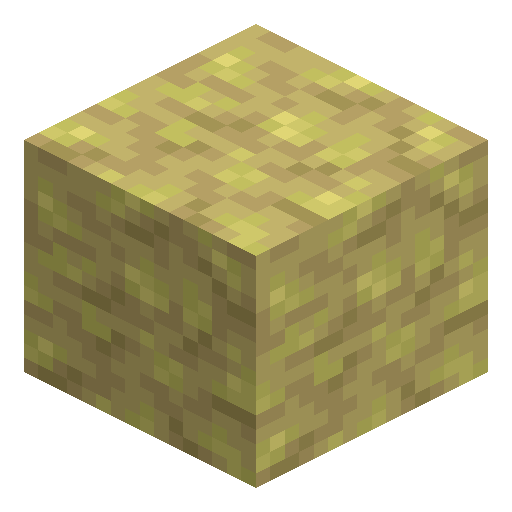
Sulfur Spike is a pointed yellow Sulfur Caves formation that grows on ceilings and floors; converts back to Sulfur at a crafting table.
Description
Block properties
| Item ID |
minecraft:sulfur_spike
|
|---|---|
| /give command |
/give @p minecraft:sulfur_spike
|
| Stackable | Yes (64) |
| Best tool | Pickaxe |
| Renewable | Yes |
| Hardness | 1.5 |
| Blast resistance | 3 |
| Java Edition | 26.2 |
| Bedrock Edition | 26.30 |
Obtaining & Using Guide
How to find and use Sulfur Spike in Minecraft 26.2
-
1
Find Sulfur Caves underground
Sulfur Spike generates naturally in cluster formations on ceilings (stalactites) and floors (stalagmites) of the Sulfur Caves biome. Explore underground to locate the biome by its bright yellow sulfur terrain and acid-green pools.
-
2
Mine Sulfur Spikes with any tool
Break Sulfur Spikes with any tool or your bare hand. Pickaxes are the fastest, but all tools drop the block. Throwing a trident at a Sulfur Spike breaks it instantly. You can also buy 2 Sulfur Spikes for 1 Emerald from a Wandering Trader.
-
3
Convert to Sulfur at the crafting table
Craft four Sulfur Spikes on a crafting table to receive one Sulfur block. This gives a renewable path back to raw Sulfur material, since Sulfur Spikes also grow slowly on the underside of Sulfur blocks over time.
-
4
Use as hazard decoration or structural accent
Sulfur Spike is waterloggable and can be placed pointing up (stalagmite) or down (stalactite). Stalactites that lose their supporting block fall and damage entities below. Use them as cave hazards, column accents, or yellow pointed detailing under bridges and overhangs.
Unlike Pointed Dripstone, falling onto a Sulfur Spike stalagmite does NOT increase fall damage. Only the stalactite variant deals damage when it falls on entities.
Used in crafts


Frequently asked questions
Does Sulfur Spike deal damage?
Yes, but only the stalactite variant (pointing down). When it loses its supporting block, it falls and damages any entity below. Falling onto a stalagmite Sulfur Spike does NOT increase fall damage, unlike Pointed Dripstone.
Can you craft Sulfur Spike?
No — Sulfur Spike itself is not craftable and is obtained by mining in Sulfur Caves or from Wandering Traders. As an ingredient, four Sulfur Spikes craft into one Sulfur block.
How do you get more Sulfur Spikes?
Mine them in Sulfur Caves. Wandering Traders sell 2 Sulfur Spikes for 1 Emerald. Placed Sulfur Spikes also grow slowly over time on the underside of Sulfur blocks.
Can Sulfur Spike be waterlogged?
Yes — Sulfur Spike is waterloggable, so it can exist fully submerged in water while retaining its shape and pointed form.
How is Sulfur Spike different from Pointed Dripstone?
Sulfur Spike is yellow and generates only in Sulfur Caves. Its stalagmite variant does not amplify fall damage, while Pointed Dripstone stalagmites do. Both stalactite variants deal damage when they fall.