


Moss Carpet
Moss Carpet is a one-pixel decorative block from Minecraft 1.17 that covers any solid surface with bright green moss.
Description
Block properties
| Item ID |
minecraft:moss_carpet
|
|---|---|
| /give command |
/give @p minecraft:moss_carpet
|
| Stackable | Yes (64) |
| Best tool | Hoe |
| Renewable | Yes |
| Hardness | 0.1 |
| Blast resistance | 0.1 |
| Java Edition | 1.17 |
| Bedrock Edition | 1.17.0 |
Guide
How to craft and use Moss Carpet in Minecraft
-
1
Gather Moss Blocks
Collect at least 2 Moss Blocks from lush caves or from wandering traders, which sometimes sell 2 Moss Blocks for 1 emerald; Moss Blocks break quickly with any tool, and a hoe is fastest.
-
2
Open any crafting grid
The Moss Carpet recipe occupies only two adjacent slots in a row, so the inventory 2x2 grid is enough; a crafting table works too but is not required.
-
3
Place 2 Moss Blocks in a row
Fill two adjacent slots of one horizontal row with Moss Blocks; the result slot shows 3 Moss Carpets per craft.
-
4
Place Moss Carpet on a surface
Right-click any solid block top to place Moss Carpet; it sits one pixel high, has no collision change, and snaps onto stairs, slabs, and full blocks alike.
-
5
Spread it with bone meal
Use bone meal on a placed Moss Block to grow Moss Carpet, azalea, and grass on nearby blocks for free, expanding green coverage without crafting more.
Moss Carpet is fully fireproof: fire, flint and steel, and even adjacent lava cannot ignite it, unlike wool carpets. Moss Carpet is crushed by moving pistons and cannot be pulled by sticky pistons.
How to craft this block
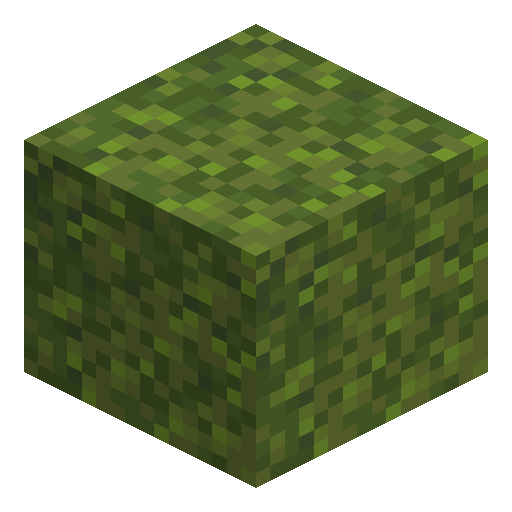 Moss Block
x2
Moss Block
x2







Frequently asked questions
How do you craft Moss Carpet in Minecraft?
Place 2 Moss Blocks in two adjacent slots of any horizontal row — even the inventory 2x2 grid works. The recipe outputs 3 Moss Carpets per craft.
Where does Moss Carpet generate naturally?
Moss Carpet generates on the floor of lush caves, in mangrove swamps (often on mangrove roots), and in some entrance rooms of trial chambers.
What Minecraft version added Moss Carpet?
Mojang added Moss Carpet in Minecraft 1.17, the Caves & Cliffs Part I update, on both Java Edition and Bedrock Edition.
What is the difference between Moss Block and Moss Carpet?
Moss Block is a full cube that can be bone-mealed to spread vegetation, while Moss Carpet is a one-pixel decorative cover that sits on top of any solid block.
Is Moss Carpet flammable?
No. Moss Carpet does not burn: fire, flint and steel, and even adjacent lava cannot ignite it, unlike wool carpets.
Can Moss Carpet be composted?
Yes, Moss Carpet is compostable with about a 30 percent chance to raise the compost level by one when placed in a composter.
Minecraft and all related materials are trademarks and copyrights of Mojang Studios © 2009–2026. This site is not an official Minecraft product and is not affiliated with or endorsed by Mojang Studios or Microsoft Corporation.