


How to Make Cut Copper in Minecraft
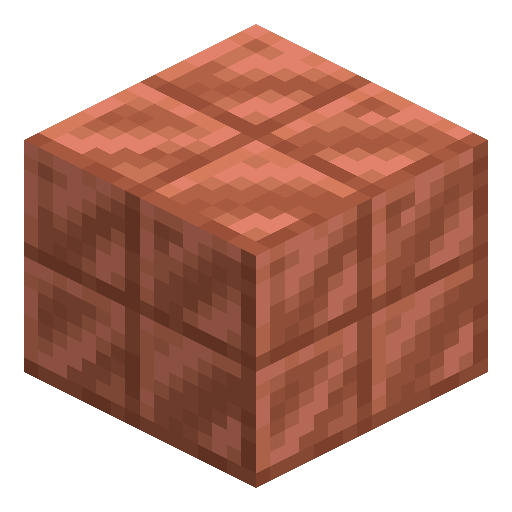
Cut Copper
Cut Copper has a refined crosshatch texture compared to the plain copper block — the go-to variant for clean architectural facades.
Description
The oxidation system is identical to the parent block: random ticks advance the surface through exposed, weathered, and finally oxidized stages, each with its own crosshatch texture in green tones. Honeycomb wax freezes any stage permanently, an axe scrape strips one layer (or removes the wax first), and a direct lightning strike reverts an unwaxed block all the way to fresh copper, while blocks near the strike lose only a single stage. Slab and stair variants exist for every oxidation level — four stairs from six cut blocks, six slabs from three cut blocks — giving builders full architectural flexibility in the patina of their choice.
Block properties
| Item ID |
minecraft:cut_copper
|
|---|---|
| /give command |
/give @p minecraft:cut_copper
|
| Stackable | Yes (64) |
| Best tool | Pickaxe |
| Renewable | Yes |
| Hardness | 3 |
| Blast resistance | 6 |
| Java Edition | 1.17 |
| Bedrock Edition | 1.17.0 |
Guide
How to craft and use Cut Copper in Minecraft
-
1
Gather copper ore
Mine copper ore underground (most common between Y=47 and Y=48) using a stone pickaxe or better. Smelt raw copper in a furnace to get copper ingots, then craft 4 ingots in a 2×2 grid to make 1 copper block.
-
2
Craft Cut Copper
Open your crafting table and place 4 copper blocks in a 2×2 arrangement. This yields 4 Cut Copper blocks — a one-to-one conversion. Even better, use a stonecutter: 1 copper block converts directly into 4 Cut Copper blocks.
-
3
Wax Cut Copper to preserve its color
Right-click a Cut Copper block with a honeycomb to apply wax and permanently freeze its current oxidation stage. Waxed Cut Copper will never oxidize further, keeping the orange, lightly weathered, or fully oxidized green look you want.
-
4
Scrape to revert oxidation
Use an axe on a Cut Copper block to scrape away one oxidation stage at a time (from oxidized → weathered → exposed → fresh copper). If the block is waxed, the first scrape removes the wax; the second scrape strips one oxidation layer.
-
5
Use slab and stair variants
Craft Cut Copper Slabs by placing 3 Cut Copper blocks in a horizontal row (yields 6 slabs), or Cut Copper Stairs using 6 blocks in the stair pattern (yields 4 stairs). Both variants exist for all 4 oxidation stages, giving full architectural flexibility.
A lightning strike hitting an unwaxed Cut Copper block resets it all the way back to fresh copper in one strike — useful for quick de-oxidizing large surfaces if you can channel lightning with a lightning rod.
How to craft this block
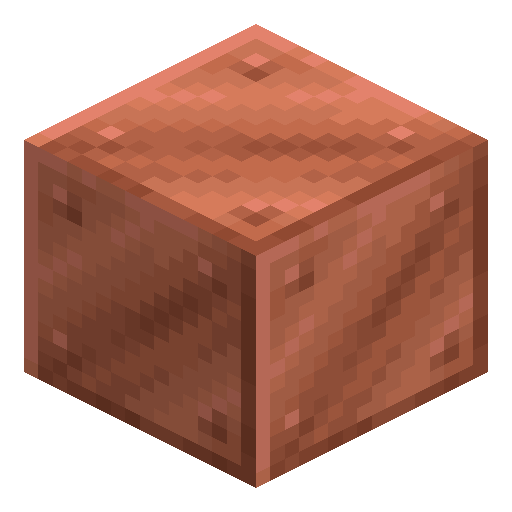 Block of Copper
x4
Block of Copper
x4

Used in crafts




Frequently asked questions
How do you craft Cut Copper?
Place 4 copper blocks in a 2×2 crafting grid to get 4 Cut Copper blocks. A stonecutter is even more efficient: 1 copper block converts into 4 Cut Copper blocks.
What is the difference between Cut Copper and regular copper?
Cut Copper has a refined crosshatch texture that looks like worked metal panelling, while regular copper has a plain, smooth surface. Both blocks oxidize identically, but Cut Copper is preferred for visible architectural facades.
How do you stop Cut Copper from oxidizing?
Right-click a Cut Copper block with a honeycomb to wax it. Waxed Cut Copper is permanently frozen at its current oxidation stage and will never progress further, even over very long play sessions.
How many oxidation stages does Cut Copper have?
Cut Copper has 4 oxidation stages: fresh copper (orange), exposed (slightly green-tinted), weathered (noticeably green), and oxidized (deep blue-green). Each stage has its own distinct crosshatch texture.
Can you revert Cut Copper back to its original color?
Yes. Use an axe to scrape one oxidation layer at a time (removing wax first if the block is waxed). A direct lightning strike on an unwaxed Cut Copper block resets it all the way to fresh copper in a single hit.
Are there slab and stair versions of Cut Copper?
Yes. Cut Copper Slabs are crafted from 3 Cut Copper blocks in a row (yields 6 slabs). Cut Copper Stairs use 6 blocks in the stair pattern (yields 4 stairs). Both exist for all 4 oxidation stages, and both can be waxed.