


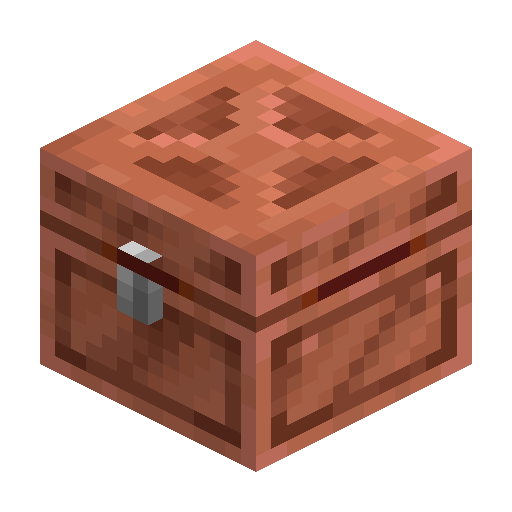
Copper Chest
Copper Chest is a 27-slot storage block crafted from a Chest surrounded by 8 copper ingots; it oxidizes in four stages and can be waxed.
Description
An Axe removes the wax from a Waxed Copper Chest and scrapes an oxidized Copper Chest one stage back toward fresh copper without breaking the block. Mining a Copper Chest requires a stone pickaxe or better; with any other tool only the contents drop, not the chest itself. Two Copper Chests placed next to each other merge into a 54-slot large chest that takes the least oxidized stage of the two halves — sneak while placing in Java Edition to keep them separate. Piglins are angered when a player opens or breaks a Copper Chest, so plan copper storage carefully in the Nether.
Block properties
| Item ID |
minecraft:copper_chest
|
|---|---|
| /give command |
/give @p minecraft:copper_chest
|
| Stackable | Yes (64) |
| Best tool | Pickaxe |
| Renewable | Yes |
| Hardness | 3 |
| Blast resistance | 6 |
| Java Edition | 1.21.9 |
| Bedrock Edition | 1.21.111 |
Guide
How to craft and use a Copper Chest in Minecraft
-
1
Gather 8 copper ingots
Mine copper ore with a stone pickaxe or better and smelt the raw copper in a furnace until you have at least 8 ingots.
-
2
Craft the chest
Open a crafting table, place a Chest in the center of the 3×3 grid and surround it with 8 copper ingots. This yields one Copper Chest.
-
3
Place and fill it
Right-click a solid surface to place the chest, then open it to access its 27 storage slots; place a second Copper Chest beside it to form a 54-slot large chest.
-
4
Control oxidation
Let the chest age naturally through Exposed, Weathered and Oxidized stages, or use an Axe to scrape one stage back toward fresh copper.
-
5
Wax to lock the look
Right-click the chest with a Honeycomb to produce a Waxed Copper Chest that keeps its current oxidation stage. An Axe removes the wax if you change your mind.
Two Copper Chests placed side by side merge into a 54-slot large chest — sneak while placing in Java Edition to keep them separate, and always mine with a stone pickaxe or better or the chest itself will not drop.
How to craft this block


Used in crafts
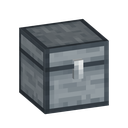
- Iron Chest
- Waxed Copper Chest





Frequently asked questions
How do I craft a Copper Chest?
Place a Chest in the center of a 3×3 crafting grid and surround it with 8 copper ingots to craft one Copper Chest.
How many items does a Copper Chest hold?
A Copper Chest has 27 inventory slots, the same as a single wooden chest.
Can two Copper Chests form a double chest?
Yes. Two Copper Chests placed next to each other merge into a 54-slot large chest; sneak while placing in Java Edition to keep them separate.
How do I stop a Copper Chest from oxidizing?
Right-click the chest with a Honeycomb to turn it into a Waxed Copper Chest, which freezes its current oxidation stage permanently.
How do I undo wax or oxidation?
Use an Axe on a waxed chest to remove the wax, or on an oxidized chest to scrape one stage back toward fresh copper.
Which Minecraft version added Copper Chest?
Copper Chest was added in Java Edition 1.21.9 and in Bedrock Edition 1.21.100 behind the "Drop 3 2025" experiment; since Bedrock 1.21.111 it is available without experiments.
Minecraft and all related materials are trademarks and copyrights of Mojang Studios © 2009–2026. This site is not an official Minecraft product and is not affiliated with or endorsed by Mojang Studios or Microsoft Corporation.