


How to Make Purpur Block in Minecraft
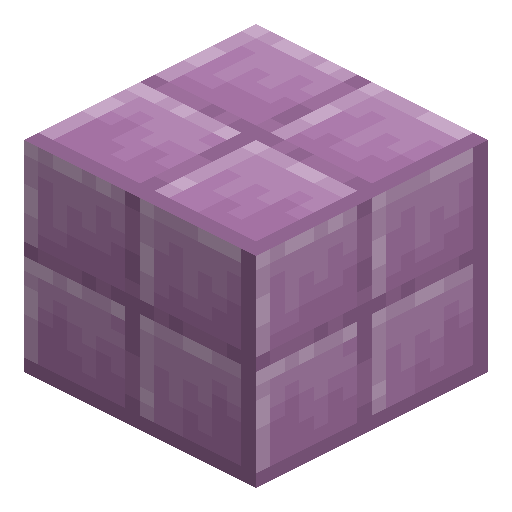
Purpur Block
Purpur Block is a violet-and-white speckled block crafted from popped chorus fruit — the signature End city material.
Description
The block generates abundantly inside end cities and end ships, often forming the bulk of their walls and floors. Players who explore an end city for the first time typically end up with stacks of purpur as a side product of clearing the structure. Stair and slab variants exist for architectural detailing, and a related variant — purpur pillar — comes from stacking two purpur slabs and is essential for matching the original end city architecture. The block has no special properties beyond decoration; it is hard enough to require a wood-tier or higher pickaxe to drop.
Block properties
| Item ID |
minecraft:purpur_block
|
|---|---|
| /give command |
/give @p minecraft:purpur_block
|
| Stackable | Yes (64) |
| Best tool | Pickaxe |
| Renewable | Yes |
| Hardness | 1.5 |
| Blast resistance | 6 |
| Java Edition | 1.9 |
| Bedrock Edition | 1.0.0 |
Guide
How to craft Purpur Block in Minecraft
-
1
Travel to the End's outer islands
End Gateways appear after defeating the Ender Dragon. Pass through a Gateway to reach the outer islands, then locate Chorus Plants — tall, purple-branching structures that grow directly on End Stone.
-
2
Harvest raw Chorus Fruit
Break Chorus Plant blocks to collect raw Chorus Fruit — each block has a 50% chance to drop one fruit, so a large plant yields several. Walking into a plant collects nothing.
-
3
Smelt Chorus Fruit in a Furnace
Place raw Chorus Fruit in a Furnace with any fuel source. Each Chorus Fruit smelts into one Popped Chorus Fruit at a 1:1 ratio. Collect at least 4 Popped Chorus Fruit for one crafting batch.
-
4
Craft Purpur Block in a 2×2 grid
Open a Crafting Table and place 4 Popped Chorus Fruit filling all four slots of the 2×2 grid. The recipe yields 4 Purpur Blocks — a 1:1 input-to-output ratio by count.
-
5
Build with Purpur Block variants
Combine Purpur Block with Purpur Pillar (crafted from 2 Purpur Slabs stacked vertically) and Purpur Stairs to accurately reproduce End City architecture in your own builds.
Purpur Block requires a Wooden Pickaxe or better to drop as an item. Breaking Purpur Block without a pickaxe destroys the block with no drop.
How to craft this block
 Popped Chorus Fruit
x4
Popped Chorus Fruit
x4

Used in crafts


Frequently asked questions
How do you craft Purpur Block in Minecraft?
Purpur Block is crafted by placing 4 Popped Chorus Fruit in a 2×2 pattern on a Crafting Table. This recipe yields 4 Purpur Blocks at a 1:1 ingredient-to-output ratio.
How do you get Popped Chorus Fruit?
Popped Chorus Fruit is obtained by smelting raw Chorus Fruit in a Furnace using any fuel. Chorus Fruit is collected from Chorus Plants found on the outer islands of the End, accessible after defeating the Ender Dragon.
Where does Purpur Block generate naturally?
Purpur Block generates abundantly in End Cities and End Ships, forming the bulk of their walls and floors. Players exploring an End City for the first time typically collect large quantities as a by-product of clearing the structure.
What tool is needed to mine Purpur Block?
Purpur Block requires a Wooden Pickaxe or higher to drop as an item. Breaking Purpur Block with bare hands or a non-pickaxe tool destroys the block without any drop.
What variants does Purpur Block have?
Purpur Block has three variants: Purpur Slab, Purpur Stairs, and Purpur Pillar. Purpur Pillar is crafted by stacking 2 Purpur Slabs vertically in a Crafting Table and is used to replicate End City column designs.
When was Purpur Block added to Minecraft?
Purpur Block was added in Java Edition 1.9 (The Combat Update, February 2016) and in Bedrock Edition 1.0. The same crafting recipe and properties apply in both editions.