


How to Make Purpur Slab in Minecraft

Purpur Slab
Purpur Slab is a half-height decorative block crafted from 3 Purpur Blocks, producing 6 slabs and stacking to 64 per slot.
Description
Purpur Slab is also generated naturally inside End City structures that spawn on the Outer End Islands, so explorers can harvest the block without crafting. A pickaxe is required to mine Purpur Slab successfully; mining by hand or with the wrong tool drops nothing. The distinctive purple marbled texture makes Purpur Slab a natural fit for End-themed bases, temples, nether portals, and any build that needs a regal or magical accent. Builders often pair Purpur Slab with End Rods, Purpur Pillars, and Purpur Stairs to create cohesive End architecture that no other block family can match in tone.
Block properties
| Item ID |
minecraft:purpur_slab
|
|---|---|
| /give command |
/give @p minecraft:purpur_slab
|
| Stackable | Yes (64) |
| Best tool | Pickaxe |
| Renewable | Yes |
| Hardness | 2 |
| Blast resistance | 6 |
| Java Edition | 1.9 |
| Bedrock Edition | 1.0.0 |
Guide
How to craft and use Purpur Slab in Minecraft
-
1
Gather Chorus Fruit
Travel to the End and harvest Chorus Fruit from the tall Chorus Plants that grow on End Stone to begin crafting Purpur Slab.
-
2
Smelt into Popped Chorus Fruit
Place Chorus Fruit in a furnace to smelt it into Popped Chorus Fruit, the ingredient required for Purpur Blocks.
-
3
Craft Purpur Blocks
Arrange 4 Popped Chorus Fruit in a 2x2 square on a crafting table to produce 4 Purpur Blocks, the base material for Purpur Slab.
-
4
Place three blocks in a row
Put 3 Purpur Blocks in a horizontal row across the crafting grid to yield 6 Purpur Slabs in the standard Minecraft slab recipe shape.
-
5
Orient and combine slabs
Target a floor to place Purpur Slab right-side-up, or a ceiling to place it upside-down, and stack two slabs together to fill a full block.
A pickaxe is required to mine Purpur Slab; mining by hand or with the wrong tool drops nothing at all.
How to craft this block
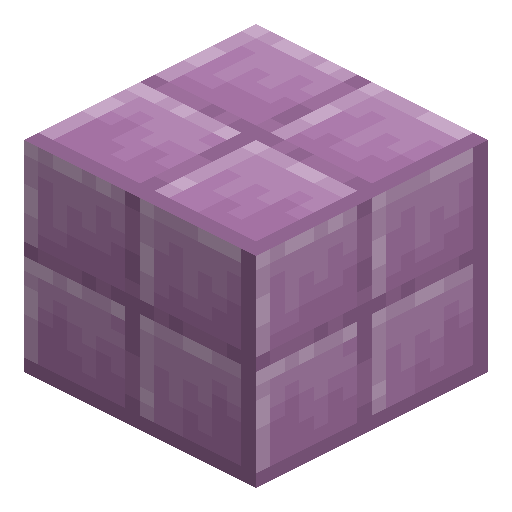 Purpur Block
x3
Purpur Block
x3

Used in crafts


Frequently asked questions
What is the crafting recipe for Purpur Slab?
Purpur Slab is crafted by placing 3 Purpur Blocks in a horizontal row across a crafting table, which yields 6 Purpur Slabs. This matches the standard Minecraft slab recipe shape used by every wood and stone slab.
Is Purpur Slab renewable?
Yes, Purpur Slab is renewable. Players farm Chorus Fruit in the End, smelt it into Popped Chorus Fruit, and craft Purpur Blocks, which then craft into Purpur Slabs in unlimited quantity.
Where can I find Purpur Slab naturally?
Purpur Slab generates naturally inside End City structures that spawn on the Outer End Islands beyond the main End island. Explorers can harvest the block directly from these structures without crafting.
Which tool is required to mine Purpur Slab?
A pickaxe is required to mine Purpur Slab successfully. Mining Purpur Slab by hand or with the wrong tool causes the block to drop nothing at all.
How many Purpur Slabs stack together?
Purpur Slab stacks to 64 per inventory slot, the standard maximum for slab-type blocks in Minecraft Java and Bedrock Edition.
What is the hardness and blast resistance of Purpur Slab?
Purpur Slab has a hardness of 2 and a blast resistance of 6 — the blast resistance matches a full Purpur Block, while the slab's hardness exceeds the full block's 1.5. The block was introduced in Java Edition 1.9 and Bedrock Edition 1.0.0.