


How to Make Polished Andesite in Minecraft
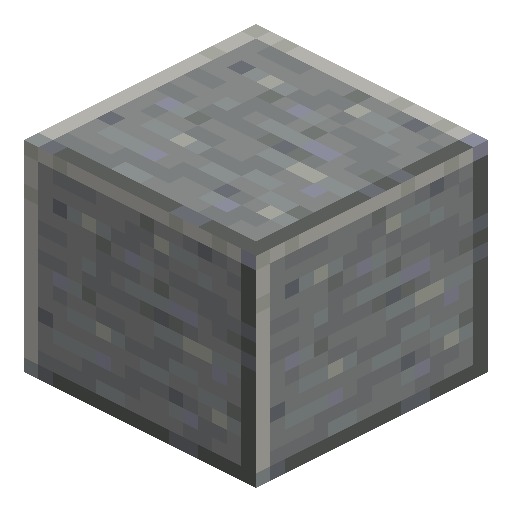
Polished Andesite
Polished Andesite has a clean medium-grey surface, popular in modern builds as a brushed-concrete substitute.
Description
The block matches its raw counterpart in hardness, blast resistance, and tool requirements — a wooden pickaxe minimum, drops itself directly without Silk Touch. At a stonecutter, polished blocks convert to slabs and stairs, giving a complete decorative kit. Modern builders use Polished Andesite extensively as floors and façades, often paired with iron blocks for industrial accents, with bone block for clean panel lines, or with stripped spruce for warm cabin contrasts.
Block properties
| Item ID |
minecraft:polished_andesite
|
|---|---|
| /give command |
/give @p minecraft:polished_andesite
|
| Stackable | Yes (64) |
| Best tool | Pickaxe |
| Renewable | Yes |
| Hardness | 1.5 |
| Blast resistance | 6 |
| Java Edition | 1.8 |
Guide
How to craft and use Polished Andesite in Minecraft
-
1
Gather andesite underground
Mine andesite underground or on mountain hillsides. Andesite generates mainly between Y=0 and Y=60 in Java Edition, with rarer blobs reaching Y=128, and appears in similar elevation ranges in Bedrock Edition. A wooden pickaxe is the minimum tool — Polished Andesite drops itself without Silk Touch.
-
2
Craft in a 2×2 grid
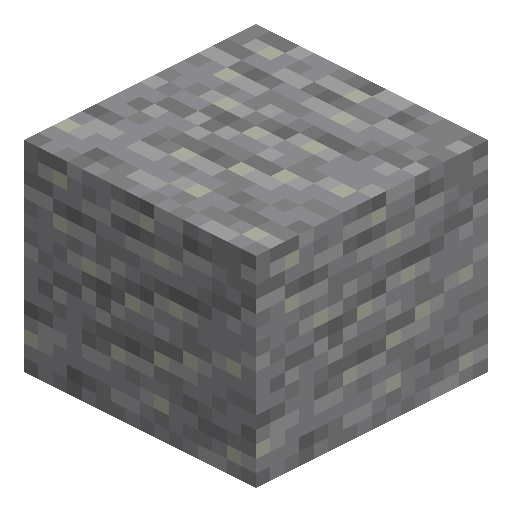
Place 4 andesite blocks in a 2×2 square on a crafting table or personal inventory grid to receive 4 Polished Andesite blocks at a 1:1 ratio. No additional materials are required.
-
3
Use the stonecutter for single-block conversion
Place one andesite into the stonecutter to produce one Polished Andesite — a 1:1 conversion that is especially handy when working with small quantities.
-
4
Cut slabs and stairs
At the stonecutter, cut Polished Andesite into polished andesite slabs and stairs. Each conversion costs one Polished Andesite block and yields one derivative item.
-
5
Design floors and facades
Place Polished Andesite as floors, exterior facades, or structural framing. Pair it with iron blocks for industrial contrast, bone block for bright panel lines, or stripped spruce logs for warm cabin-style builds.
Stonecutter conversions let you switch between Polished Andesite, slabs, and stairs without wasting blocks — one block in, one derivative out every time.
How to craft this block
 Andesite
x4
Andesite
x4

Used in crafts


Frequently asked questions
How do you craft Polished Andesite?
Place 4 andesite blocks in a 2×2 square on any crafting grid to produce 4 Polished Andesite blocks. The recipe requires no other materials and works in both the 2×2 personal inventory grid and the 3×3 crafting table.
Can you make Polished Andesite in a stonecutter?
Yes. Placing one andesite block in a stonecutter yields one Polished Andesite block at a 1:1 ratio. The stonecutter is useful when you need only a few blocks without filling a full 2×2 crafting pattern.
What tool do you need to break Polished Andesite?
Polished Andesite requires a wooden pickaxe or better to mine. Breaking Polished Andesite with bare hands or a non-pickaxe tool is possible but the block will not drop — only a pickaxe guarantees the block drop.
Does Polished Andesite drop itself without Silk Touch?
Yes. Polished Andesite always drops itself when mined with a pickaxe, and Silk Touch is not needed. This makes Polished Andesite easier to collect than ore blocks that require enchantments to drop their item form.
What is the difference between Andesite and Polished Andesite?
Andesite has a rough, dark-speckled texture typical of raw volcanic stone. Polished Andesite has a smooth, uniform medium-grey surface. Both blocks share identical hardness (1.5) and blast resistance (6.0), and both require a wooden pickaxe. At a stonecutter, Polished Andesite cuts into polished andesite slabs and stairs; a polished andesite wall does not exist in the game.
What blocks pair well with Polished Andesite?
Polished Andesite pairs well with iron blocks for industrial builds, bone block for bright neutral panels, stripped spruce logs for warm cabin aesthetics, and smooth stone for monochrome minimalist floors. Blackstone and deepslate tiles also complement Polished Andesite when deeper contrast is needed.