


Pale Oak Sign
Pale oak wood sign for labeling builds — write four lines, dye the text, and wax it to lock edits.
Description
Block properties
| Item ID |
minecraft:pale_oak_sign
|
|---|---|
| /give command |
/give @p minecraft:pale_oak_sign
|
| Stackable | Yes (16) |
| Best tool | Axe |
| Renewable | Yes |
| Hardness | 1 |
| Blast resistance | 1 |
| Java Edition | 1.21.4 |
| Bedrock Edition | 1.21.50 |
Java & Bedrock Guide
How to craft and use a Pale Oak Sign in Minecraft
-
1
Get pale oak planks
Chop a pale oak tree in the Pale Garden and turn the logs into pale oak planks.
-
2
Craft the sign
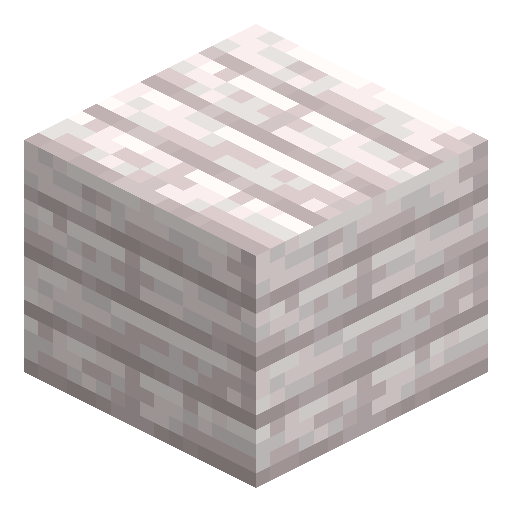
Place six pale oak planks across the top two rows and one stick in the bottom-center slot to make three signs.
-
3
Place and write
Put the sign on the ground or a wall, then type up to four lines of text on the editing screen.
-
4
Style the text
Use a dye to recolor the text or a glow ink sac to make it glow in the dark.
-
5
Lock it
Apply a honeycomb to wax the sign so no one can edit the text anymore.
Since Java 1.20 you can write on the front and back of a sign separately — click the side you want to edit.
How to craft this block








Frequently asked questions
How do you craft a Pale Oak Sign?
Place six pale oak planks across the top two rows of a crafting table with one stick below the center to craft three pale oak signs.
How many lines of text fit on a sign?
Each side holds up to four lines, and the front and back can be edited separately.
Can you make the sign text glow?
Yes. Use a glow ink sac on the sign to make the text glow and stay readable in the dark.
How do you stop a sign from being edited?
Apply a honeycomb to wax the sign, which locks the text until the wax is removed.
Is the Pale Oak Sign in Bedrock Edition?
Yes. It was added alongside the Pale Garden in both Java 1.21.4 and Bedrock Edition.
Minecraft and all related materials are trademarks and copyrights of Mojang Studios © 2009–2026. This site is not an official Minecraft product and is not affiliated with or endorsed by Mojang Studios or Microsoft Corporation.