


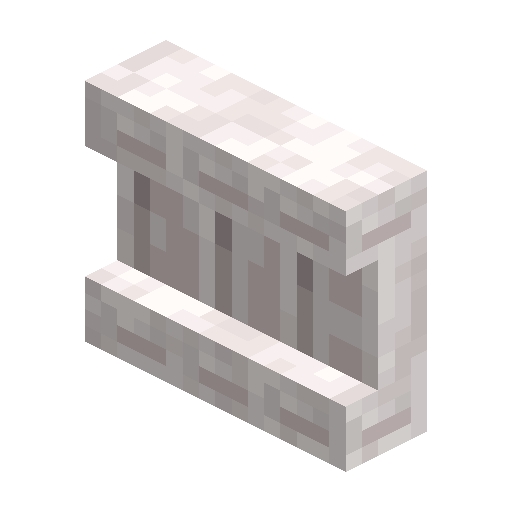
Pale Oak Shelf
Pale oak shelf that displays 3 item stacks and swaps contents via redstone, with comparator output 0-7.
Description
Block properties
| Item ID |
minecraft:pale_oak_shelf
|
|---|---|
| /give command |
/give @p minecraft:pale_oak_shelf
|
| Stackable | Yes (64) |
| Best tool | Axe |
| Renewable | Yes |
| Hardness | 2 |
| Blast resistance | 3 |
| Java Edition | 1.21.9 |
| Bedrock Edition | 1.21.111 |
Java & Bedrock Guide
How to craft and use a Pale Oak Shelf in Minecraft
-
1
Strip pale oak logs
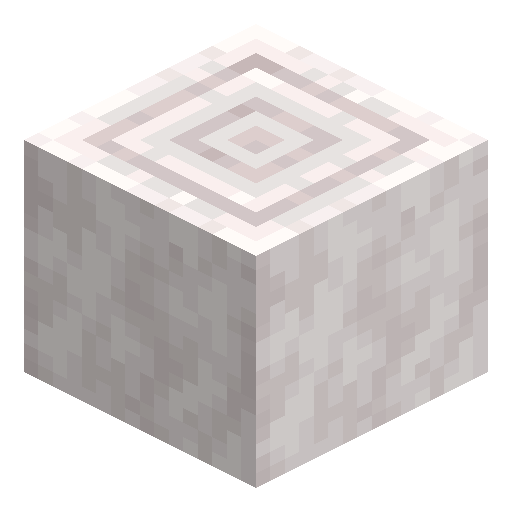
Chop pale oak in the Pale Garden and right-click the logs with an axe to make stripped pale oak logs.
-
2
Craft the shelf
Use stripped pale oak logs in a crafting table to make the pale oak shelf variant.
-
3
Store items
Place the shelf and interact with any of its 3 slots to swap that item with the one in your hand.
-
4
Wire redstone
Power the shelf to swap all 3 slots with the 3 rightmost hotbar slots in one click.
-
5
Read the signal
Attach a comparator to read a signal of strength 0-7 based on how many slots are filled.
Place powered shelves side by side and they link up, expanding the redstone swap from 3 to 6 or 9 slots.
How to craft this block
 Stripped Pale Oak Log
x6
Stripped Pale Oak Log
x6








Frequently asked questions
How many items can a Pale Oak Shelf hold?
A pale oak shelf stores up to 3 item stacks and displays each one on its front face.
How do you take an item off the shelf?
Interact with the slot holding it to swap that item with whatever is in your hand, like a single chest slot.
What does redstone do to a shelf?
When powered, the shelf swaps all 3 of its contents with the 3 rightmost hotbar slots at once.
Do shelves output a comparator signal?
Yes. A shelf emits a comparator signal of strength 0-7 based on how many of its slots are filled.
When was the Pale Oak Shelf added?
Shelf blocks, including the pale oak shelf, were added in Minecraft 1.21.9 (Bedrock 1.21.111).
Minecraft and all related materials are trademarks and copyrights of Mojang Studios © 2009–2026. This site is not an official Minecraft product and is not affiliated with or endorsed by Mojang Studios or Microsoft Corporation.