


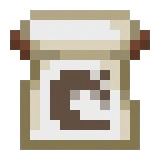
Banner Pattern
Mojang Banner Pattern is crafted from Paper and an Enchanted Golden Apple, and stamps the old Mojang logo emblem onto banners in the Loom without being consumed.
Description
To use it, open a Loom with a Banner, any Dye, and the Mojang Banner Pattern: the Loom applies the logo layer in the chosen dye color and returns the pattern item intact, so a single copy decorates unlimited banners. Finished banners hang on walls or stand on floors in both editions, and dipping a banner into a Cauldron of water washes off the topmost layer, letting you redesign without losing materials. Crafting the Mojang Banner Pattern once means keeping a lifetime prestige-decoration tool.
Block properties
| Item ID |
minecraft:mojang_banner_pattern
|
|---|---|
| /give command |
/give @p minecraft:mojang_banner_pattern
|
| Stackable | No |
| Renewable | No |
| Java Edition | 1.14 |
| Bedrock Edition | 1.10 |
Guide
How to craft and use the Mojang Banner Pattern in Minecraft
-
1
Craft the pattern
Combine one Paper and one Enchanted Golden Apple on the crafting grid to craft the Mojang Banner Pattern — the same recipe in Java Edition and Bedrock Edition.
-
2
Source the Enchanted Golden Apple
The apple cannot be crafted and only appears in structure chests: ominous vaults in Trial Chambers hold one at a 22.5% chance, Ancient City chests at 8.6%, and Woodland Mansions at about 3.6%.
-
3
Apply it in a Loom
Open a Loom, place a Banner, any Dye, and the Mojang Banner Pattern in the three slots, pick the emblem preview, and take the finished banner.
-
4
Reuse the same copy
The Loom does not consume the Mojang Banner Pattern — it returns the item after every use, so one copy decorates unlimited banners in any dye color.
-
5
Display or wash off
Hang the banner on a wall or stand it on the floor in either edition. To redesign, dip it in a Cauldron with water — each dip removes the topmost layer.
The Mojang Banner Pattern does not stack (maximum 1 per slot), and since the Loom never consumes it, there is no point crafting spare copies.
How to craft this block






Frequently asked questions
How do I get the Mojang Banner Pattern?
Craft it from one Paper and one Enchanted Golden Apple on the crafting grid — the same recipe in Java Edition and Bedrock Edition. It does not spawn in mansion chests; the apple is the part found in loot.
Is the Mojang Banner Pattern renewable?
Effectively no: enchanted golden apples cannot be crafted and come only from structure chests, so every pattern costs one whole apple.
Does the Mojang Banner Pattern stack?
No. The Mojang Banner Pattern is non-stackable — a maximum of one item per inventory slot.
Is the pattern consumed in the Loom?
No. The Loom returns the Mojang Banner Pattern after every use, so one copy decorates unlimited banners.
What does the Mojang Banner Pattern add to a banner?
The stylized shape of the old Mojang logo, applied in whatever dye color you choose in the Loom.
Can I remove the emblem from a banner?
Yes. Use the banner on a Cauldron filled with water — each interaction removes the topmost layer without losing the banner.
Minecraft and all related materials are trademarks and copyrights of Mojang Studios © 2009–2026. This site is not an official Minecraft product and is not affiliated with or endorsed by Mojang Studios or Microsoft Corporation.