


How to Make Mangrove Log in Minecraft

Mangrove Log
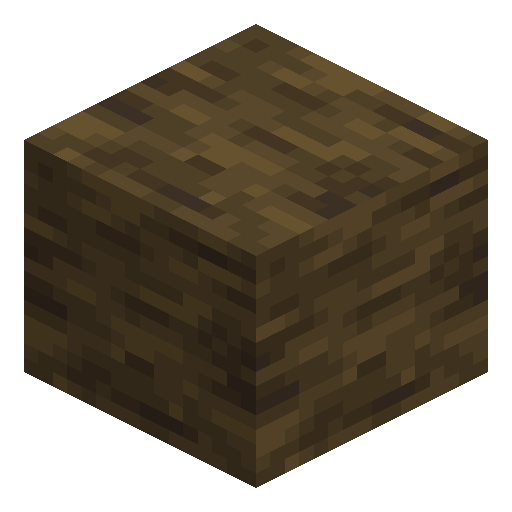
Mangrove Log has a deep red-brown bark and grows tangled above murky swamp water on dense root systems.
Description
Unlike every other tree species, mangroves have no saplings. Mature trees grow propagules — long pod-shaped seeds that hang beneath the leaves — that can be planted on dirt or even directly in shallow water, where they grow into trees with submerged trunks. The block strips with an axe to reveal a clean reddish-brown interior, smelts to charcoal in any furnace, and crafts to four matching planks per unit. The roots themselves are a separate decorative block, useful for swamp huts and dock pilings.
Block properties
| Item ID |
minecraft:mangrove_log
|
|---|---|
| /give command |
/give @p minecraft:mangrove_log
|
| Stackable | Yes (64) |
| Best tool | Axe |
| Renewable | Yes |
| Hardness | 2 |
| Blast resistance | 2 |
| Java Edition | 1.19 |
| Bedrock Edition | 1.19.0 |
Java & Bedrock Edition Guide
How to grow and use Mangrove Logs in Minecraft
-
1
Find a mangrove swamp biome
Mangrove swamp biomes generate in warm, humid lowlands near sea level, replacing regular swamps next to jungles, savannas, and deserts. Listen for frog sounds — frogs spawn in both regular swamps and mangrove swamps.
-
2
Collect a mangrove propagule
Pick the mature propagule pods that hang beneath the leaves — only fully grown propagules drop as items, and bone meal matures a hanging propagule one stage at a time. Mangroves have no saplings — the propagule is the only planting item (wandering traders sell one for 5 emeralds).
-
3
Plant the propagule
Place the propagule on dirt, grass, mud, or clay — or plant it directly in shallow water. Mangrove propagules are the only tree seeds in Minecraft that can be planted in water and still grow.
-
4
Accelerate growth with bone meal
Use bone meal on the planted propagule to skip the waiting time — it works even when light is insufficient. Without bone meal, a planted propagule grows over time like a normal sapling.
-
5
Harvest the logs with an axe
Chop every trunk block with any axe to collect Mangrove Logs. Each log smelts into one piece of charcoal in any furnace, or crafts into four Mangrove Planks on any crafting grid.
Stripping a Mangrove Log with an axe (right-click) converts it to Stripped Mangrove Log, exposing a cleaner reddish-brown interior that is popular for decorative and high-end builds.
How to craft this block







Frequently asked questions
Can you craft a Mangrove Log in Minecraft?
No. Mangrove Logs cannot be crafted on a crafting grid — they are obtained by chopping mangrove trees in mangrove swamp biomes. Plant a mangrove propagule on dirt or in shallow water (bone meal speeds growth) to farm your own logs.
Where do mangrove trees grow in Minecraft?
Mangrove trees grow exclusively in mangrove swamp biomes, introduced in Java Edition 1.19 and Bedrock Edition 1.19.0. These warm, humid biomes replace regular swamps next to jungles, savannas, and deserts.
What can you make with Mangrove Log?
One Mangrove Log crafts into four Mangrove Planks on any crafting grid. It also smelts into one piece of charcoal in any furnace, making it useful as both a building material and a fuel source.
How do you plant a mangrove tree?
Use a mangrove propagule — mangroves have no saplings. Place the propagule on dirt, mud, grass, or clay, or plant it directly in shallow water. Mangroves are the only trees in Minecraft that can be grown in water.
What tool breaks Mangrove Log fastest?
An axe breaks Mangrove Log the fastest. A netherite axe harvests it in under one second; any tier of axe works, though lower-tier tools take longer.
Is Mangrove Log available in both Java and Bedrock Edition?
Yes. Mangrove Log was added simultaneously to Java Edition 1.19 and Bedrock Edition 1.19.0 as part of the Wild Update released in June 2022.