


Ender Chest
Ender Chest links to a per-player dimension-spanning storage shared across every instance of the block in the world.
Description
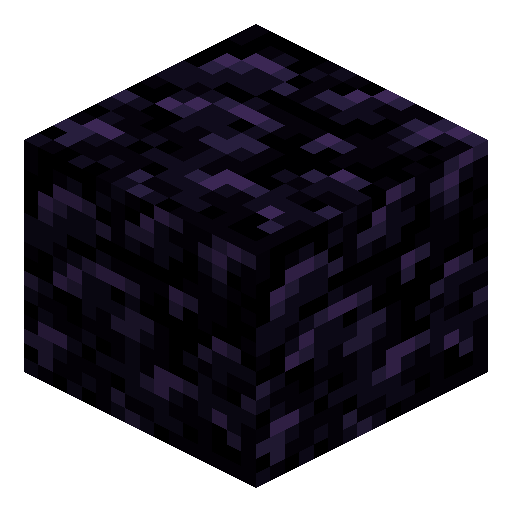
The practical implications are huge. A player can stash diamonds in an Ender Chest at home, walk a thousand blocks to a remote outpost, and instantly retrieve them from a second Ender Chest there. Each player has their own private inventory — chests do not share between players, only between the same player's chests. Mining the device without Silk Touch destroys the chest and drops eight obsidian; mining with Silk Touch returns the chest itself. The block emits a soft purple light level seven, and its lid features ender particles for visual flair.
Block properties
| Item ID |
minecraft:ender_chest
|
|---|---|
| /give command |
/give @p minecraft:ender_chest
|
| Stackable | Yes (64) |
| Best tool | Pickaxe |
| Renewable | Yes |
| Hardness | 22.5 |
| Blast resistance | 600 |
| Light level | 7 |
| Java Edition | 1.3.1 |
| Bedrock Edition | 1.0.0 |
Guide
How to use an Ender Chest in Minecraft
-
1
Gather the crafting materials
Collect 8 Obsidian blocks (mine them with a Diamond or Netherite pickaxe from lava-water formations) and 1 Eye of Ender (combine a Blaze Powder with an Ender Pearl).
-
2
Craft the Ender Chest
Fill the outer ring of the crafting grid with the 8 Obsidian blocks and place the Eye of Ender in the centre slot to get 1 Ender Chest.
-
3
Place it at your base and store valuables
Right-click the Ender Chest to open its 27-slot inventory. Place your most valuable items — diamond armor, Netherite tools, Elytra — inside so they are safe across the world.
-
4
Place a second Ender Chest at your outpost
Craft or carry a second Ender Chest to any remote location or another dimension. Opening it reveals the exact same 27-slot inventory you stored items in at home.
-
5
Mine with Silk Touch to recover the chest
When moving an Ender Chest, always use a pickaxe enchanted with Silk Touch. Without Silk Touch, the chest breaks and drops 8 Obsidian — your stored items remain safe but the chest is lost.
Ender Chest storage is completely private — other players who open your Ender Chest see their own inventory, not yours.
How to craft this block








Frequently asked questions
Is Ender Chest storage shared between players?
No. Each player has their own completely private 27-slot Ender Chest inventory. Two players can open the same physical Ender Chest and each sees only their own items.
What happens if I break an Ender Chest without Silk Touch?
Breaking an Ender Chest without Silk Touch drops 8 Obsidian. Your stored items remain safe in your personal Ender Chest inventory — they are not lost, but the physical chest block is destroyed.
Does Ender Chest work in the Nether and the End?
Yes. Ender Chest functions in all three dimensions — Overworld, Nether, and End — giving access to the same 27-slot personal storage from anywhere in the world.
How many slots does an Ender Chest have?
An Ender Chest has 27 storage slots per player, the same number as a single regular Chest. Unlike a regular Chest, these slots are personal and not accessible by other players.
What is the crafting recipe for Ender Chest?
Surround one Eye of Ender with eight Obsidian blocks in a crafting grid (Eye in the centre, Obsidian filling all eight outer slots) to craft one Ender Chest.
Can I have multiple Ender Chests and do they all sync?
Yes. You can place any number of Ender Chests anywhere in the world; they all show the same 27-slot inventory simultaneously, so changes in one are instantly reflected in all others.
Minecraft and all related materials are trademarks and copyrights of Mojang Studios © 2009–2026. This site is not an official Minecraft product and is not affiliated with or endorsed by Mojang Studios or Microsoft Corporation.