


How to Make Sulfur Slab in Minecraft
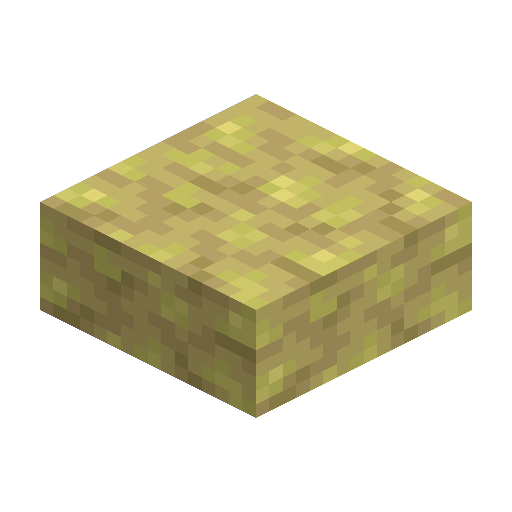
Sulfur Slab
Sulfur Slab is the half-height yellow build piece from Minecraft 26.2 — perfect for thin floors and terraces.
Description
Block properties
| Item ID |
minecraft:sulfur_slab
|
|---|---|
| /give command |
/give @p minecraft:sulfur_slab
|
| Stackable | Yes (64) |
| Best tool | Pickaxe |
| Renewable | Yes |
| Hardness | 1.5 |
| Blast resistance | 6 |
| Java Edition | 26.2 |
| Bedrock Edition | 26.30 |
Minecraft Guide
How to craft and use Sulfur Slab in Minecraft
-
1
Mine raw Sulfur
Sulfur Slab starts from raw Sulfur, so mine Sulfur blocks inside the Sulfur Caves biome introduced in Minecraft 26.2 Chaos Cubed.
-
2
Open a crafting table
Place three Sulfur blocks across the middle row of a crafting table to produce six Sulfur Slabs at once.
-
3
Use a stonecutter
Feed one Sulfur block into a stonecutter to craft two Sulfur Slabs, the efficient route when the sulfur budget is tight.
-
4
Place the slabs
Lay Sulfur Slabs as thin floor layers, low platforms, or table tops, and stack two slabs to recreate a full Sulfur block with a visible yellow seam.
Sulfur Slab ships in Java Edition 26.2 and Bedrock Edition 26.30 — earlier Bedrock previews required the Chaos Cubed experiment — and the stonecutter ratio stays 1 to 2 in each edition.
How to craft this block
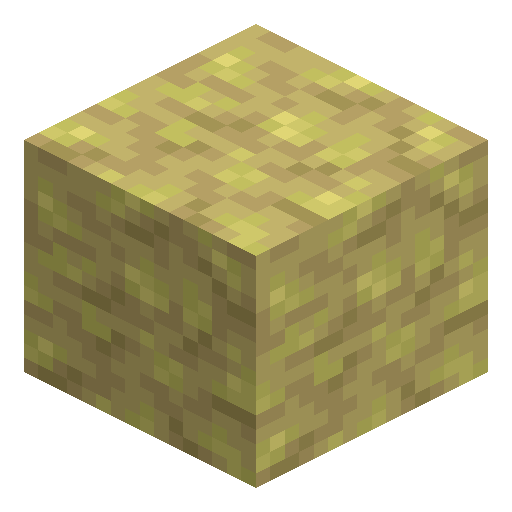 Sulfur
x3
Sulfur
x3

Used in crafts


Frequently asked questions
Can you craft Sulfur Slab in Minecraft?
Yes. Place three Sulfur blocks in the middle row of a crafting table to produce six Sulfur Slabs.
Does a stonecutter make Sulfur Slabs?
Yes. One Sulfur block on a stonecutter yields two Sulfur Slabs, useful when sulfur is in short supply.
Which Minecraft version added Sulfur Slab?
Sulfur Slab was added in Minecraft 26.2 Chaos Cubed on Java Edition and in Bedrock Edition 26.30, alongside the Sulfur Caves biome and the full Sulfur block.
What tool breaks Sulfur Slab fastest?
Treat Sulfur Slab like other mineral blocks and mine it with a pickaxe so the slab drops as an item.
Is Sulfur Slab the same as Sulfur Brick Slab?
No. Sulfur Slab is the half-height cut of raw Sulfur, while Sulfur Brick Slab is crafted from Sulfur Bricks and shows a brick texture.
Do Sulfur Slabs work in Java and Bedrock?
Yes. Sulfur Slab appears in Java Edition starting with 26.2 and in Bedrock Edition starting with 26.30.