


Spruce Sign
Spruce Sign is a spruce-wood notice board that displays up to four lines of text for labeling storage and marking points of interest.
Description
Spruce Sign accepts text on both the front and the back face, and using a placed sign reopens the editor, so labels stay correctable long after placement. A honeycomb waxes Spruce Sign to lock the text against edits, a dye recolors all four lines at once, and a glow ink sac adds a glow that stays visible in the dark until a plain ink sac removes it. One Spruce Sign smelts exactly one item in a furnace, which makes spare signs an emergency fuel. Builders match Spruce Sign with spruce planks in taiga villages, mountain lodges, and winter markets, where the dark spruce tone keeps signage readable against snow.
Block properties
| Item ID |
minecraft:spruce_sign
|
|---|---|
| /give command |
/give @p minecraft:spruce_sign
|
| Stackable | Yes (16) |
| Best tool | Axe |
| Renewable | Yes |
| Java Edition | 1.14 |
| Bedrock Edition | 1.9.0 |
Guide
How to Craft and Use a Spruce Sign in Minecraft
-
1
Craft three signs at once
Fill the top two rows of a crafting table with six Spruce Planks, put one Stick in the center of the bottom row, and take three Spruce Signs from the output.
-
2
Place the sign and write
Use the Spruce Sign item on the top or side of a block, type up to four lines of text, and close the editor; sneak while placing to attach the sign to a chest or a note block.
-
3
Edit text on both sides
Use the placed Spruce Sign to reopen the editor, then interact with the back face to add a second message; every line can be rewritten at any time.
-
4
Color and lock the message
Use a dye on Spruce Sign to recolor all four lines, apply a glow ink sac for glowing text, and press a honeycomb onto the sign to wax it against edits.
Water and lava flow around Spruce Sign without destroying it, and one spare sign smelts exactly one item in a furnace.
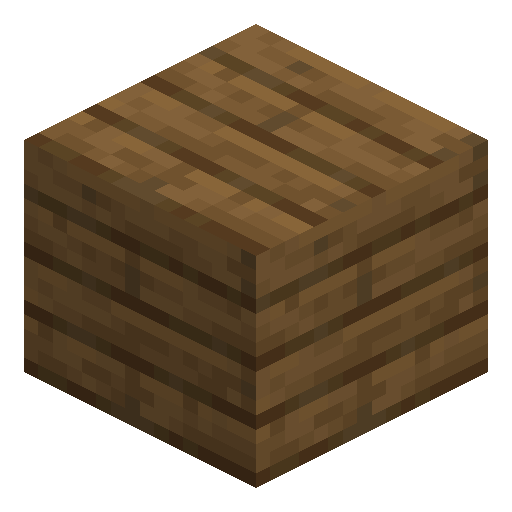
How to craft this block






Frequently asked questions
How many Spruce Signs does one recipe give?
Crafting six Spruce Planks with one Stick yields three Spruce Signs, and the recipe accepts only one plank type per batch.
Can I edit a Spruce Sign after placing it?
Yes. Using a placed Spruce Sign reopens the text editor on both the front and the back face. A sign waxed with a honeycomb refuses edits until broken.
Do Spruce Signs burn in lava?
No. Lava flows around Spruce Sign without destroying it, and the sign cannot catch fire, though lava can ignite air blocks right next to a sign.
Can a Spruce Sign smelt items?
Yes. One Spruce Sign smelts exactly one item in a furnace, the same fuel value as every overworld wood sign.
Where do Spruce Signs appear naturally?
Spruce Signs stand in taiga village houses, and players can also loot spruce sign items from taiga village chests.
What breaks a Spruce Sign fastest?
An axe removes Spruce Sign faster than any other tool, but even an empty hand breaks the sign, and the sign drops itself as an item.
Minecraft and all related materials are trademarks and copyrights of Mojang Studios © 2009–2026. This site is not an official Minecraft product and is not affiliated with or endorsed by Mojang Studios or Microsoft Corporation.