


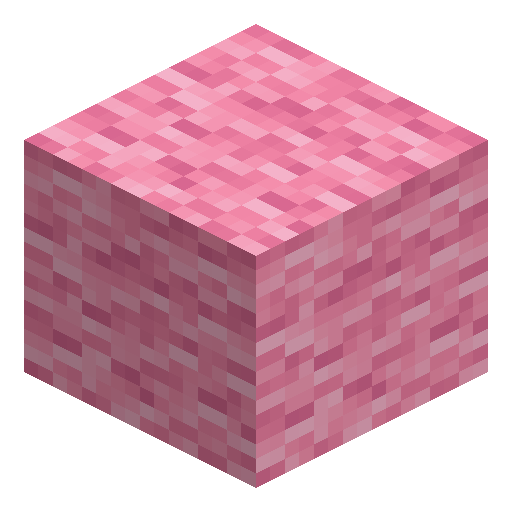

Pink Banner
Pink Banner is crafted from 6 pink wool and 1 stick; decorate it on a loom with up to 6 pattern layers.
1.21
Description
The Pink Banner is a decorative cloth crafted from six pink wool arranged in two rows of three above a single stick placed in the bottom-middle slot, yielding one banner per recipe. Banners stack to sixteen and can be set on the ground or fixed to a wall, serving as flexible markers for bases, roads, and meeting points.
On a loom the cloth accepts up to six layered patterns combined from dyes and optional pattern items, and a crafting grid pairs a decorated banner with a blank one of the same color to yield two identical copies. A cauldron washes off the most recently added layer, allowing iterative redesign. The item has no durability or combat stats and is used purely for visual identification, including markers on Java Edition maps. The white Ominous Banner carried by raid captains is a separate, uncraftable banner with a fixed design of eight patterns.
On a loom the cloth accepts up to six layered patterns combined from dyes and optional pattern items, and a crafting grid pairs a decorated banner with a blank one of the same color to yield two identical copies. A cauldron washes off the most recently added layer, allowing iterative redesign. The item has no durability or combat stats and is used purely for visual identification, including markers on Java Edition maps. The white Ominous Banner carried by raid captains is a separate, uncraftable banner with a fixed design of eight patterns.
Block properties
| Item ID |
minecraft:pink_banner
|
|---|---|
| /give command |
/give @p minecraft:pink_banner
|
| Stackable | Yes (16) |
| Best tool | Axe |
| Renewable | Yes |
| Hardness | 1 |
| Blast resistance | 1 |
| Java Edition | 1.8 |
| Bedrock Edition | 1.2.0 |
Guide
How to craft and decorate a Pink Banner in Minecraft
-
1
Gather materials
Collect 6 pink wool and 1 stick. Pink wool is obtained by shearing pink sheep (naturally rare) or by crafting white wool with pink dye at a crafting table. A stick crafted from 2 planks completes the ingredient list.
-
2
Craft the Pink Banner
Open a crafting table and fill the top two rows with pink wool (3 in each row), then place 1 stick in the bottom-center slot. This yields 1 Pink Banner. Pink Banners also stack to 16, so crafting multiple at once is efficient.
-
3
Place the Pink Banner
Right-click the ground to stand the Pink Banner upright, or right-click a wall to mount it flat against the surface. Pink Banners placed on the ground sway with wind animation. Use Pink Banners to mark paths, bases, or portals.
-
4
Decorate on a loom
Place the Pink Banner, a dye, and optionally a banner pattern item into a loom to apply one pattern layer. Repeat up to 6 times for 6 stacked layers. To copy a finished design, combine the decorated Pink Banner with a blank pink banner in a crafting grid — the recipe yields two identical banners carrying all 6 layers.
-
5
Remove pattern layers with a cauldron
Fill a cauldron with water, then right-click the cauldron while holding a decorated Pink Banner to remove the most recently added layer. Each cauldron use removes exactly 1 layer and consumes 1 water level, enabling step-by-step redesign without discarding the base Pink Banner.
Tip
The ominous banner carried by raid captains looks distinct from a standard Pink Banner — it is a separate white banner with a fixed design of 8 patterns that can be neither crafted nor copied, only looted. Keep a cauldron nearby when iterating on loom designs so you can undo layers without wasting Pink Banners.
How to craft this block
Crafting
 Pink Banner

1







Frequently asked questions
How do you craft a Pink Banner in Minecraft?
Place 6 pink wool in the top two rows of a crafting table (3 per row) and 1 stick in the bottom-center slot. This recipe yields 1 Pink Banner. Pink wool can be obtained by shearing pink sheep or by crafting white wool with pink dye.
How many pattern layers can a Pink Banner hold?
A Pink Banner can hold up to 6 pattern layers applied on a loom. Each layer is added separately using a dye plus an optional banner pattern item. Layers stack visually, allowing complex multi-color designs.
How do you remove patterns from a Pink Banner?
Fill a cauldron with water, then right-click the cauldron while holding the decorated Pink Banner. Each interaction removes exactly the most recently added layer and lowers the cauldron's water level by one. Repeat to strip multiple layers one at a time.
Can you copy a Pink Banner design onto another banner?
Yes. Combine the decorated Pink Banner and a blank pink banner in a crafting grid — no loom or dye needed. The recipe yields two identical banners carrying the full design, including all 6 layers.
What is the stack size of a Pink Banner?
Pink Banners stack to 16 per inventory slot. Banners with identical pattern layers stack together; any difference in pattern breaks the stack. Freshly crafted Pink Banners without decoration always stack together.
Minecraft and all related materials are trademarks and copyrights of Mojang Studios © 2009–2026. This site is not an official Minecraft product and is not affiliated with or endorsed by Mojang Studios or Microsoft Corporation.