


Mangrove Sign
Mangrove Sign is a collision-free (mobs pass through) mangrove-wood block that shows up to four lines of text for labels and path markers.
Description
In use, a Mangrove Sign displays up to 4 lines of text on each side, and the back face is edited separately after the front. Honeycomb waxes a placed Mangrove Sign, locking the text until the waxed Mangrove Sign is broken. A dye recolors all 4 lines at once, and a glow ink sac gives the writing a glowing outline. Being non-solid, a Mangrove Sign has no collision, so mobs and dropped items pass straight through, while water and lava flow around Mangrove Signs without destroying them. Minecraft builders use Mangrove Sign to stop and control fluid flows, and a furnace burns 1 Mangrove Sign as fuel to smelt exactly 1 item. A base built from mangrove planks stays visually consistent with Mangrove Sign labels, and fire safety comes free: Mangrove Signs never catch fire.
Block properties
| Item ID |
minecraft:mangrove_sign
|
|---|---|
| /give command |
/give @p minecraft:mangrove_sign
|
| Stackable | Yes (16) |
| Best tool | Axe |
| Renewable | Yes |
| Hardness | 1 |
| Java Edition | 1.19 |
| Bedrock Edition | 1.19.0 |
Guide
How to craft and use a Mangrove Sign in Minecraft
-
1
Craft 3 signs at once
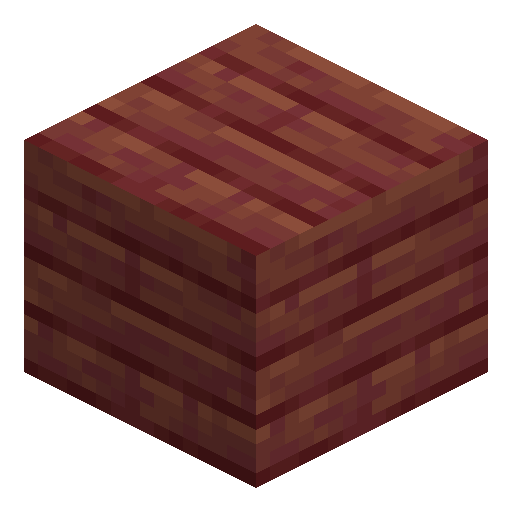
Place 6 mangrove planks across the top two rows of a crafting grid and 1 stick in the center of the bottom row. The recipe outputs 3 Mangrove Signs.
-
2
Place the sign and write the text
Use a Mangrove Sign on the top or side of a block, type up to 4 lines of text, and close the editor. On top of a block, the sign stands on a short post and turns toward you in 1 of 16 directions.
-
3
Fill in the back side
Walk around the placed Mangrove Sign and use the back face to open a separate editor. The rear face holds its own 4 lines of text.
-
4
Add color and glowing text
Use a dye on the Mangrove Sign to recolor all 4 lines at once, then use a glow ink sac to make the text glow with an outline; a black ink sac removes the glow.
-
5
Lock the text with honeycomb
Use a honeycomb on the placed Mangrove Sign to wax the text. A waxed Mangrove Sign cannot be edited until the waxed sign is broken and placed again.
A Mangrove Sign breaks with any tool or bare hands in 1.5 seconds, and a wooden axe already cuts the time to 0.75 seconds. Mangrove Signs stack to 16, so one inventory slot covers a whole labeling session.
How to craft this block






Frequently asked questions
Which Minecraft version added Mangrove Sign?
Mangrove Sign was added in Java Edition 1.19 and Bedrock Edition 1.19.0. In Java 1.19, the sign became obtainable in Survival together with mangrove trees.
Does Mangrove Sign burn in fire or lava?
Mangrove Sign never catches fire, even right next to lava. In a furnace, 1 Mangrove Sign still works as fuel and smelts exactly 1 item.
Can water or lava destroy a Mangrove Sign?
Water and lava flow around Mangrove Sign and never destroy the sign. Minecraft players use Mangrove Sign to stop and control fluid flows.
Do mobs collide with Mangrove Sign?
Mangrove Sign is non-solid and has no collision, so mobs and dropped items pass straight through. Other blocks, including other signs, can be placed right against Mangrove Sign.
Is Mangrove Sign renewable?
Yes. Mangrove Sign is crafted from mangrove planks, and mangrove trees in mangrove swamps can be replanted endlessly. Every new mangrove tree supplies wood for more signs.
Minecraft and all related materials are trademarks and copyrights of Mojang Studios © 2009–2026. This site is not an official Minecraft product and is not affiliated with or endorsed by Mojang Studios or Microsoft Corporation.