


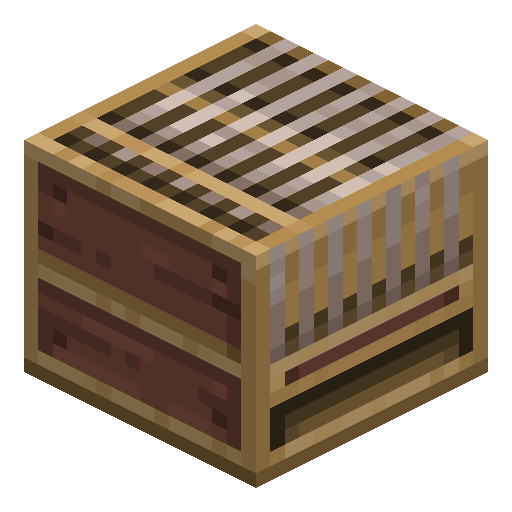
Loom
Loom applies decorative patterns to banners using dyes and pattern items — the only practical way to design custom banners.
Description
The interface shows every available pattern as a scrollable list, applying the chosen dye to the chosen pattern shape on a live preview before committing. Up to six patterns can be layered on a single banner, allowing for surprisingly complex emblems. The block also serves as the workstation of the shepherd villager profession; placing one in a village without a shepherd recruits an unemployed villager who then trades wool, all dyes, paintings, and shears in exchange for emeralds.
Block properties
| Item ID |
minecraft:loom
|
|---|---|
| /give command |
/give @p minecraft:loom
|
| Stackable | Yes (64) |
| Best tool | Axe |
| Renewable | Yes |
| Hardness | 2.5 |
| Blast resistance | 2.5 |
| Java Edition | 1.14 |
| Bedrock Edition | 1.10.0 |
Guide
How to use a Loom in Minecraft
-
1
Craft the Loom
Open your Crafting Table, place 2 strings side-by-side in the top row and 2 planks below them (2×2 pattern in the upper-left corner), then collect the Loom.
-
2
Gather materials
You need at least 1 banner (crafted from 6 wool + 1 stick), 1 dye of any colour, and optionally a banner pattern item — most are crafted from paper plus a motif item such as an Oxeye Daisy or a Creeper Head.
-
3
Open the Loom interface
Right-click the Loom. Place your banner in the left slot, the dye in the middle slot, and the optional pattern item in the right slot.
-
4
Choose a pattern
Scroll the pattern list on the right and click the design you want. The live preview on the left updates instantly. Click the output slot to apply the pattern.
-
5
Layer additional patterns
Take the banner back, return it to the left slot with a new dye, choose another pattern, and repeat — up to 6 patterns total in Java Edition.
Use a Loom near an unemployed villager to convert them into a Shepherd, who trades wool, all 16 dyes, paintings, and shears for emeralds.
How to craft this block








Frequently asked questions
How do you craft a Loom in Minecraft?
Place 2 strings side by side in the top row and 2 planks below them in a 2×2 pattern (top-left of the Crafting Table) to craft 1 Loom.
How many patterns can you put on a banner with a Loom?
In Java Edition, you can stack up to 6 patterns on a single banner. Bedrock Edition also supports 6 layers, but some patterns require specific pattern items.
What do you put in a Loom?
The Loom has 3 input slots: the left slot takes a banner, the middle slot takes a dye of any colour, and the right slot (optional) takes a banner pattern item for special designs.
What is a banner pattern item?
Banner pattern items are special items that unlock designs missing from the standard list. Most are crafted from paper plus a motif item — Oxeye Daisy (Flower Charge), Creeper Head (Creeper Charge), Wither Skeleton Skull (Skull Charge), or Bricks (Field Masoned). Exceptions: the Snout pattern appears only in bastion remnant chests, and master-level cartographers sell the Globe pattern. A pattern item is not consumed when used.
Does the Loom require a villager profession?
The Loom is the job site block for the Shepherd villager profession. Placing a Loom near an unemployed villager will convert them into a Shepherd who trades wool, dyes, paintings, and shears.
Can you apply a banner pattern to a shield?
Yes. Combine a banner and a shield on a Crafting Table (not the Loom) to copy the banner's pattern onto the shield's face.
Minecraft and all related materials are trademarks and copyrights of Mojang Studios © 2009–2026. This site is not an official Minecraft product and is not affiliated with or endorsed by Mojang Studios or Microsoft Corporation.