


Cherry Sign
Cherry Sign displays up to four lines of text — the cherry-wood variant of Minecraft's sign block for labelling storage and leaving player notes.
Description
Players use Cherry Sign to label storage rooms, post information, and mark areas of interest. A dye recolors all four lines of a placed Cherry Sign at once, a glow ink sac gives the text a glowing outline that stays visible in the dark, and a regular ink sac switches the glow off. A honeycomb waxes a placed Cherry Sign so the text cannot be edited until the block is broken and placed again. Water and lava flow around a Cherry Sign without breaking the sign, and signs never catch fire, so a row of signs redirects fluids reliably. One Cherry Sign also works as furnace fuel and smelts exactly one item.
Block properties
| Item ID |
minecraft:cherry_sign
|
|---|---|
| /give command |
/give @p minecraft:cherry_sign
|
| Stackable | Yes (16) |
| Best tool | Axe |
| Renewable | Yes |
| Java Edition | 1.19.4 |
| Bedrock Edition | 1.19.80 |
Guide
How to craft and use a Cherry Sign in Minecraft
-
1
Craft three Cherry Signs
Fill the top two rows of the crafting grid with six Cherry Planks, put one Stick in the centre of the bottom row, and collect three Cherry Signs from the output slot.
-
2
Attach Cherry Sign to a block
Use the Cherry Sign item while pointing at the top or side of a block; a sign on top stands on a short post facing you, and a sign on a block side attaches to that side.
-
3
Write text on both sides
Enter up to four lines in the editor that opens on placement, then use the placed Cherry Sign to reopen the editor and fill in the back side.
-
4
Color and light up the text
Use a dye on the placed Cherry Sign to recolor all four lines at once, then use a glow ink sac for glowing text with an outline.
-
5
Lock Cherry Sign with honeycomb
Use a honeycomb on the placed Cherry Sign to wax it; a waxed Cherry Sign cannot be edited until the sign is broken and placed again.
Water and lava flow around a Cherry Sign without breaking the block, and one Cherry Sign smelts one item as furnace fuel.
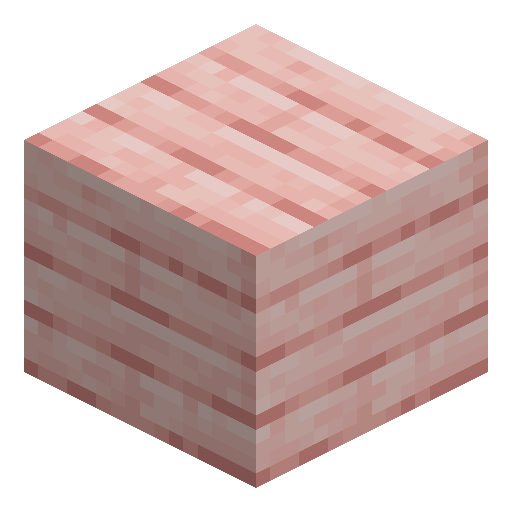
How to craft this block






Frequently asked questions
Does a Cherry Sign drop when its support block disappears?
A Cherry Sign breaks and drops itself as an item whenever the block it is attached to is moved, removed, or destroyed. In Bedrock Edition, a piston pushing a Cherry Sign destroys the sign the same way.
Can mobs and items walk through a Cherry Sign?
Cherry Sign is a non-solid block with no collision, so mobs and dropped items move straight through it. Other blocks, including other signs, can be placed against every edge of a sign.
How do you attach a Cherry Sign to a chest or note block?
Sneak while using the Cherry Sign item on any block that reacts to use, such as a chest or a note block. Sneaking places the sign instead of opening the container's interface.
How many Cherry Signs fit in one inventory slot?
Cherry Sign stacks up to 16 items in a single inventory slot.
Minecraft and all related materials are trademarks and copyrights of Mojang Studios © 2009–2026. This site is not an official Minecraft product and is not affiliated with or endorsed by Mojang Studios or Microsoft Corporation.