


How to Make Oak Shelf in Minecraft
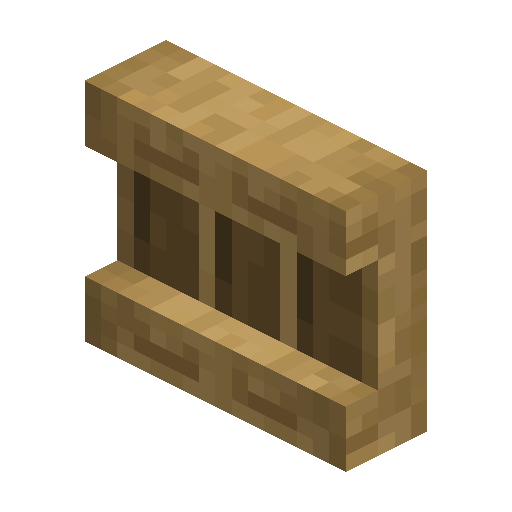
Oak Shelf
Oak Shelf is a Minecraft 1.21.9 storage block for up to three item stacks (piles of identical items), all shown on the front face.
Description
A placed Oak Shelf holds up to three item stacks and displays every stored item on the front, similar to an Item Frame. Each Oak Shelf slot fits one full stack of a stackable item or a single non-stackable item, and the exact number of items is never shown. Without a redstone signal, interacting with an Oak Shelf slot swaps the main-hand item with the slot contents. Under redstone power, one Oak Shelf swaps all three slots with the three rightmost hotbar slots, two connected shelves cover six slots, and three connected shelves cover all nine. A Redstone Comparator reading an Oak Shelf from behind outputs signal 1 for the left slot, 2 for the middle, and 4 for the right, up to 7 total. Hoppers and Droppers load an Oak Shelf automatically, and a Hopper placed underneath pulls items back out.
Block properties
| Item ID |
minecraft:oak_shelf
|
|---|---|
| /give command |
/give @p minecraft:oak_shelf
|
| Stackable | Yes (64) |
| Best tool | Axe |
| Renewable | Yes |
| Hardness | 2 |
| Blast resistance | 3 |
| Java Edition | 1.21.9 |
| Bedrock Edition | 1.21.111 |
Guide
How to Craft and Use an Oak Shelf in Minecraft
-
1
Craft six shelves from stripped logs
Place six Stripped Oak Logs on a crafting table — three across the top row and three across the bottom row — and leave the middle row empty. The recipe yields six Oak Shelves.
-
2
Place the shelf and load a slot
Place an Oak Shelf where the display belongs, then interact with one of the three slots while holding an item. The main-hand item trades places with the slot contents.
-
3
Power the shelf for hotbar swaps
Send a redstone signal into an Oak Shelf and interact with the powered shelf. One powered shelf swaps the 3 rightmost hotbar slots; 2 or 3 shelves in a row facing the same direction extend the swap to 6 or all 9 slots.
-
4
Automate loading and unloading
Load an Oak Shelf automatically with a Dropper or a Hopper, and place a Hopper underneath an Oak Shelf to pull items back out.
-
5
Read the slots with a comparator
Stand a Redstone Comparator behind an Oak Shelf. An item in the left, middle, or right slot outputs signal strength 1, 2, or 4, and a fully stocked shelf reads 7.
A powered Oak Shelf changes the front texture, so one look at the face shows whether the redstone signal actually reaches the shelf.
How to craft this block
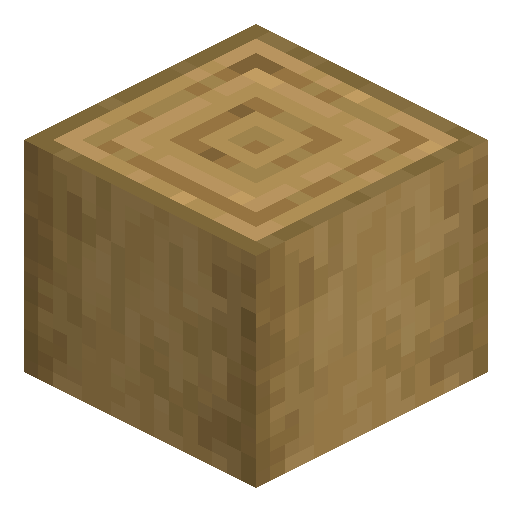 Stripped Oak Log
x6
Stripped Oak Log
x6


Frequently asked questions
Can a piston move an Oak Shelf?
In Java Edition, no — pistons cannot move shelves, so an Oak Shelf stays where placed.
Does Oak Shelf work as furnace fuel?
Yes. One Oak Shelf smelts 1.5 items in a Furnace.
Can an Oak Shelf be waterlogged?
Yes. Oak Shelf is waterloggable, so an Oak Shelf can stand inside a water source block.
In what order do hoppers fill an Oak Shelf?
Items enter and leave from left to right, and stackable items pile into one slot until that slot is full.