


Oak Hanging Sign
Oak Hanging Sign is a two-sided, writable sign from Minecraft 1.20 that hangs from a chain under a block or from a bar against its side.
Description
Oak Hanging Sign holds editable text on both faces, so shop labels, directional markers, and farm signage written on the sign read clearly from either direction. Right-click Oak Hanging Sign with any dye to recolor the text or with a glow ink sac to make it glow in the dark, and apply honeycomb to wax the sign and lock its text against further edits. Because Oak Hanging Sign can attach under or beside blocks, it suits hanging tavern boards, market stalls, and rustic builds where a free-standing sign would look out of place.
Block properties
| Item ID |
minecraft:oak_hanging_sign
|
|---|---|
| /give command |
/give @p minecraft:oak_hanging_sign
|
| Stackable | Yes (16) |
| Best tool | Axe |
| Renewable | Yes |
| Hardness | 1 |
| Blast resistance | 1 |
| Java Edition | 1.20 |
| Bedrock Edition | 1.20.0 |
Java & Bedrock Guide
How to craft and hang an Oak Hanging Sign in Minecraft
-
1
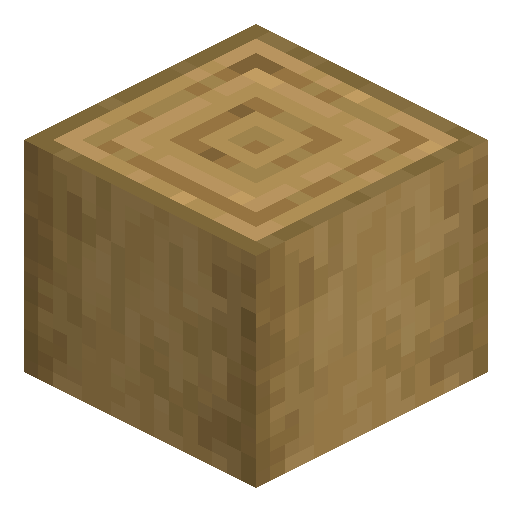
Strip six oak logs
Use an axe on oak logs to create stripped oak logs — six are needed for one batch of Oak Hanging Signs.
-
2
Craft two chains
Stack an iron ingot between two iron nuggets vertically to make a chain; the recipe needs two chains.
-
3
Open the 3x3 grid
Place two chains in the top corners and fill the two rows below with six stripped oak logs to craft six Oak Hanging Signs.
-
4
Hang the sign
Place Oak Hanging Sign under a block to chain it down, or against the side of a block to mount the wall-hanging bar variant.
-
5
Write and lock the text
Type up to four lines per side, dye or glow the text, then apply honeycomb to wax Oak Hanging Sign so the message can no longer be changed.
Hanging signs, including Oak Hanging Sign, were added in the 1.20 Trails & Tales update; older versions only have standard standing and wall signs.
How to craft this block








Frequently asked questions
Can you craft an Oak Hanging Sign?
Yes. Place two chains in the top corners of the crafting grid and six stripped oak logs below to craft six Oak Hanging Signs at once.
What is the difference between an Oak Hanging Sign and a wall hanging sign?
Oak Hanging Sign hangs from a chain under a block, while the wall-mounted variant attaches to the side of a block from a short bar; both come from the same item.
Can you edit text on both sides of an Oak Hanging Sign?
Yes. Oak Hanging Sign holds up to four lines of editable text on each face, and you can dye the text or make it glow.
Does an Oak Hanging Sign need a block above it?
Not always. Oak Hanging Sign hangs beneath a block from chains or attaches to a block's side on a self-supporting bracket that keeps the sign in place even after that block is removed.
What version added the Oak Hanging Sign?
Oak Hanging Sign was added in Minecraft 1.20, the Trails & Tales update, for both Java and Bedrock Edition.
Minecraft and all related materials are trademarks and copyrights of Mojang Studios © 2009–2026. This site is not an official Minecraft product and is not affiliated with or endorsed by Mojang Studios or Microsoft Corporation.