


How to Make Jukebox in Minecraft
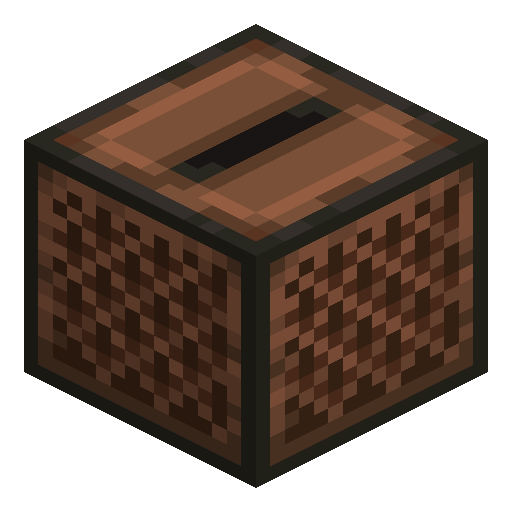
Jukebox
Jukebox plays music discs when fed with one — the only block dedicated to in-world audio playback in vanilla.
Description
The block also emits a comparator-readable redstone signal corresponding to which disc is playing — useful for sequenced contraptions like automatic dance floors that change lighting based on the current track. Music discs themselves are obtained from creeper-on-skeleton kills (skeletons shoot a creeper with their arrows, and the resulting creeper death drops a random disc from the twelve C418 tracks), from ancient city or woodland mansion loot chests, or as Pigstep from bastion remnants. Some rare discs are exclusive to specific loot pools and represent end-game collectibles for completionists.
Block properties
| Item ID |
minecraft:jukebox
|
|---|---|
| /give command |
/give @p minecraft:jukebox
|
| Stackable | Yes (64) |
| Best tool | Axe |
| Renewable | No |
| Hardness | 2 |
| Blast resistance | 6 |
| Bedrock Edition | 1.2.0 |
Guide
How to use a Jukebox in Minecraft
-
1
Craft the Jukebox
Open your Crafting Table, fill all slots except the centre with 8 wood planks (any type), place 1 diamond in the centre slot, then collect the Jukebox.
-
2
Obtain a music disc
Kill a Creeper that is hit by a Skeleton's arrow (not by you directly) to receive a random disc, or loot discs from Ancient City and Woodland Mansion chests.
-
3
Insert the disc
Hold the music disc in your hand and right-click the Jukebox. Music begins playing in a 64-block radius.
-
4
Eject the disc
Right-click the Jukebox again while it is playing. The disc pops out as a dropped item so you can collect and reuse it.
-
5
Use with Redstone
Place a Comparator adjacent to the Jukebox to read a signal whose strength (1–15) identifies the disc currently playing, enabling automatic lighting or note-block triggers.
Parrots within 3 blocks of a playing Jukebox will dance. Use this for decorative aviaries or interactive builds.
How to craft this block


Frequently asked questions
How do you craft a Jukebox in Minecraft?
Place 8 wood planks (any type) in a U-shape on the Crafting Table, leaving the centre empty, then put 1 diamond in the centre slot to craft 1 Jukebox.
How do you get music discs in Minecraft?
The most reliable method is to lure a Creeper near a Skeleton and let the Skeleton's arrow kill the Creeper — this always drops a random music disc from the twelve C418 tracks. Discs also appear in Ancient City and Woodland Mansion loot chests, and Pigstep is exclusive to bastion remnants.
How do you eject a disc from a Jukebox?
Right-click the Jukebox while a disc is playing and the disc will pop out as a dropped item on the ground.
Does a Jukebox output a Redstone signal?
Yes. Place a Comparator adjacent to the Jukebox to read a signal whose strength (1–15) corresponds to the specific disc playing; the strength holds as long as the disc stays inside, even after the song ends. An empty Jukebox outputs 0.
How far away can you hear a Jukebox?
A Jukebox plays audio in a spherical radius of 64 blocks in Java Edition.
Can parrots dance to a Jukebox?
Yes. Parrots within approximately 3 blocks of a playing Jukebox will dance as long as music is playing.