


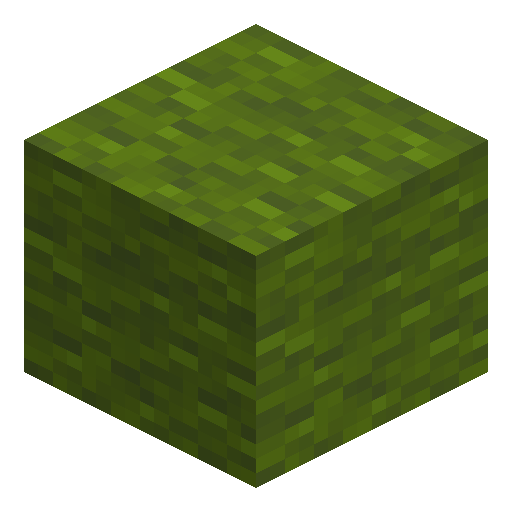

Green Banner
Green Banner is a decorative block crafted from six green wool and one stick, carrying up to six dye pattern layers for marking buildings.
1.21
Description
Green Banner is a decorative Minecraft block built from six green wool and one stick, and the banner's base color locks permanently the moment crafting finishes. Sixteen banner colors joined Minecraft in Java 1.8 and Bedrock 1.2.0, and no green banner generates naturally, so crafting and villager trades stay the only sources. Any tool breaks Green Banner, an axe works fastest, and the banner drops as an item whenever the supporting block is moved, removed, or destroyed. Green Banner carries hardness 1, blast resistance 1, a stack limit of 16, and a non-solid hitbox that mobs walk straight through.
A loom weaves up to six pattern layers onto Green Banner: every layer requires one dye, special pattern items never get consumed, and a water cauldron washes off the newest layer. Crafting a patterned banner together with a blank banner of the same green base outputs two identical banners, and the same design presses onto a shield. In Java Edition, using a placed banner while holding a map plants a green marker at the banner's location, and a spare Green Banner smelts 1.5 items as furnace fuel. Builders hang Green Banner on walls or stand the banner in 16 ground orientations, where the banner sways gently like fabric in wind.
A loom weaves up to six pattern layers onto Green Banner: every layer requires one dye, special pattern items never get consumed, and a water cauldron washes off the newest layer. Crafting a patterned banner together with a blank banner of the same green base outputs two identical banners, and the same design presses onto a shield. In Java Edition, using a placed banner while holding a map plants a green marker at the banner's location, and a spare Green Banner smelts 1.5 items as furnace fuel. Builders hang Green Banner on walls or stand the banner in 16 ground orientations, where the banner sways gently like fabric in wind.
Block properties
| Item ID |
minecraft:green_banner
|
|---|---|
| /give command |
/give @p minecraft:green_banner
|
| Stackable | Yes (16) |
| Best tool | Axe |
| Renewable | Yes |
| Hardness | 1 |
| Blast resistance | 1 |
| Java Edition | 1.8 |
| Bedrock Edition | 1.2.0 |
Guide
How to Craft and Use a Green Banner in Minecraft
-
1
Collect six green wool and one stick
Six green wool and one stick yield one Green Banner on a crafting table; an expert shepherd villager also sells any banner color, Green Banner included, for three emeralds.
-
2
Craft the Green Banner
Fill the top and middle rows of the 3x3 grid with the six green wool, place the stick in the bottom-center slot, and take one Green Banner from the output.
-
3
Place the banner
Use Green Banner on the ground to stand a pole-mounted banner in any of 16 orientations, or use Green Banner on a wall to hang the banner flat; the banner sways and never blocks movement.
-
4
Add patterns in a loom
Combine Green Banner with a dye in a loom to weave one of up to six pattern layers; special pattern items return to the inventory instead of being consumed.
-
5
Copy, shield, and map tricks
Craft a patterned Green Banner with a blank Green Banner for two identical banners, press the banner design onto a shield, or use the placed banner while holding a Java map to drop a green marker.
Watch the support block
Green Banner falls the instant the block behind or under the banner breaks, and pistons never push a banner, so hang banners on permanent walls.
How to craft this block
Crafting
 Green Banner

1







Frequently asked questions
Can bleach turn a Green Banner white?
Yes, but only in Bedrock Edition — the bleach recipe is an Education feature that strips any banner down to a plain White Banner, patterns included. Java Edition offers no such recipe, and the base color otherwise never changes.
Can a Green Banner catch fire or sit underwater?
Green Banner never burns, though lava ignites the air blocks directly beside a banner. In Bedrock Edition banners are waterloggable, so a banner stands fine underwater; Java Edition simply flows water around the banner.
Why does another block overlap the banner's top half?
A standing or wall Green Banner renders two blocks tall, but the hitbox covers only one block. Other blocks, including other banners, fill the empty half without trouble.
How does a Green Banner marker behave on a Java map?
The marker takes the banner's base green color, and a renamed Green Banner prints the custom name under the marker. Breaking the banner removes the marker unless a cartography table locked the map first.
Minecraft and all related materials are trademarks and copyrights of Mojang Studios © 2009–2026. This site is not an official Minecraft product and is not affiliated with or endorsed by Mojang Studios or Microsoft Corporation.