


How to Make Cinnabar Wall in Minecraft
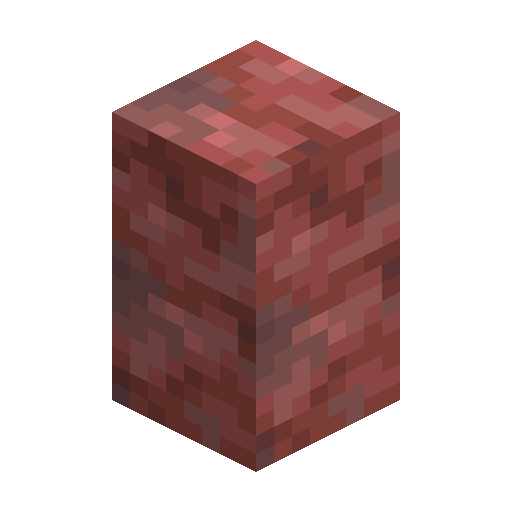
Cinnabar Wall
Thin Cinnabar barrier outlining Sulfur Caves entrances, courtyards and altar plinths in Minecraft 26.2.
Description
Block properties
| Item ID |
minecraft:cinnabar_wall
|
|---|---|
| /give command |
/give @p minecraft:cinnabar_wall
|
| Stackable | Yes (64) |
| Best tool | Pickaxe |
| Renewable | No |
| Hardness | 1.5 |
| Blast resistance | 6 |
| Java Edition | 26.2 |
| Bedrock Edition | 26.30 |
Guide
How to craft and use Cinnabar Wall in Minecraft
-
1
Obtain Cinnabar blocks
Cinnabar Wall requires Cinnabar blocks as the base material. Cinnabar blocks generate naturally in Sulfur Caves biomes added in Minecraft 26.2 "Chaos Cubed", so descend into a Sulfur Cave and mine Cinnabar with any pickaxe to gather enough blocks.
-
2
Craft Cinnabar Wall at a crafting table
Cinnabar Wall is crafted by placing six Cinnabar blocks in the bottom two rows of a 3×3 crafting grid — three in the middle row and three in the bottom row. Cinnabar Wall crafting yields six Cinnabar Walls per recipe, making Cinnabar Wall an efficient use of Cinnabar blocks.
-
3
Place and orient Cinnabar Wall
Cinnabar Wall placed in isolation appears as a slender post. Cinnabar Wall auto-connects horizontally to adjacent Cinnabar Walls, fences and solid blocks, forming a continuous barrier without any manual rotation needed. Cinnabar Wall also connects upward to solid blocks placed directly above.
-
4
Use Cinnabar Wall in builds
Cinnabar Wall works as a perimeter fence, balustrade or decorative border around Sulfur Cave entrances, courtyards and altar plinths. Cinnabar Wall blocks mob pathing without a full-cube hitbox, so Cinnabar Wall pairs cleanly with Cinnabar Slab capstones to build low-profile barriers that mobs cannot cross.
Cinnabar Wall can also be obtained one-at-a-time on a Stonecutter using a single Cinnabar block per wall, which is useful when you need only a few Cinnabar Walls and want to avoid committing six Cinnabar blocks to the crafting recipe.
How to craft this block
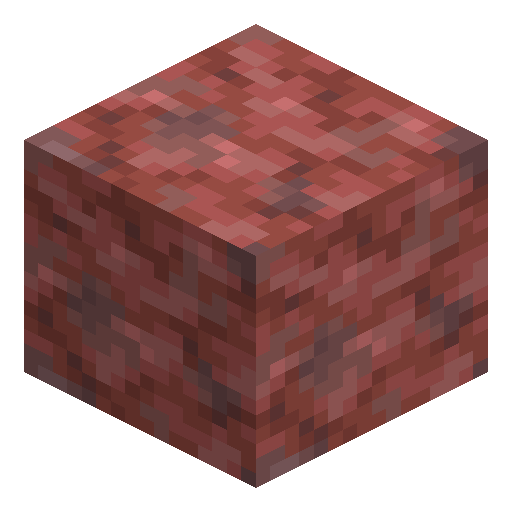 Cinnabar
x6
Cinnabar
x6


Frequently asked questions
How do you craft Cinnabar Wall in Minecraft?
Cinnabar Wall is crafted by placing six Cinnabar blocks in the bottom two rows of a 3×3 crafting table grid, yielding six Cinnabar Walls per craft. Cinnabar Wall can also be made one-at-a-time on a Stonecutter using one Cinnabar block each.
What version of Minecraft added Cinnabar Wall?
Cinnabar Wall was added in Minecraft 26.2 "Chaos Cubed" alongside the Sulfur Caves biome and the full Cinnabar block set, including Cinnabar Slab and Cinnabar Stairs.
What blocks does Cinnabar Wall auto-connect to?
Cinnabar Wall auto-connects horizontally to adjacent Cinnabar Walls, fences of any type, and any solid full-cube block. Cinnabar Wall also connects upward when a solid block is placed directly above it.
Does Cinnabar Wall block mobs?
Yes, Cinnabar Wall blocks mob movement because Cinnabar Wall has a raised collision shape that mobs cannot step over. Cinnabar Wall does not form a full-cube hitbox, so Cinnabar Wall is visually thinner than a standard block while still acting as an effective mob barrier.
What is the difference between Cinnabar Wall and a Cinnabar fence?
Cinnabar Wall is the wall-type block from the Cinnabar family in Minecraft 26.2, while a standard fence variant of Cinnabar would follow fence connection rules. Cinnabar Wall connects to solid blocks and other walls, whereas fences connect primarily to other fences and fence gates — making Cinnabar Wall better suited for connecting to stone structures and altar plinths.