


Cherry Hanging Sign
Cherry Hanging Sign is a pink text board (a sign variant) that hangs under blocks, crafted from stripped cherry logs and iron chains.
Description
Cherry Hanging Sign displays up to four lines of text, and the lines run narrower than on a regular sign, so short labels fit best. Builders label storage rooms, signpost paths and price market goods with Cherry Hanging Sign, matching the pink wood of cherry trees that grow only in the cherry grove biome. A spare Cherry Hanging Sign also works as fuel and smelts 4 items in a furnace. Dyes recolor the text, a Glow Ink Sac makes the letters glow, and a Honeycomb waxes the sign permanently, because waxing cannot be undone.
Block properties
| Item ID |
minecraft:cherry_hanging_sign
|
|---|---|
| /give command |
/give @p minecraft:cherry_hanging_sign
|
| Stackable | Yes (16) |
| Best tool | Axe |
| Renewable | Yes |
| Java Edition | 1.20 |
| Bedrock Edition | 1.20.0 |
Guide
How to Craft and Use a Cherry Hanging Sign in Minecraft
-
1
Collect six Stripped Cherry Logs
Find cherry trees in the cherry grove biome, chop the trunks for cherry logs, and use an axe on each log to strip the bark off.
-
2
Craft two Iron Chains
Place two Iron Nuggets and one Iron Ingot in a vertical crafting column — nugget, ingot, nugget — to craft one Iron Chain, and repeat for the second chain.
-
3
Craft six Cherry Hanging Signs
Put an Iron Chain in each top corner of the crafting grid, fill the middle and bottom rows with the six Stripped Cherry Logs, and take six Cherry Hanging Signs from the output.
-
4
Hang the sign
Use a Cherry Hanging Sign on the bottom of a block to hang the sign underneath, or place the sign against a wall for the solid bracket mount; placing while sneaking forces the up-arrow shape.
-
5
Write, color and lock the text
Type up to four lines in the edit window, apply a dye for color, use a Glow Ink Sac for glowing letters, and press a Honeycomb onto the finished sign, because waxing blocks every future edit.
One Cherry Hanging Sign smelts 4 items in a furnace, so a stack of spare signs works as emergency fuel.
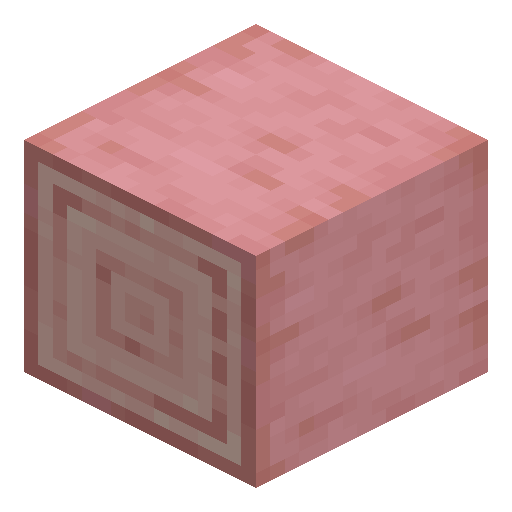
How to craft this block







Frequently asked questions
How many Cherry Hanging Signs fit into one inventory slot?
Sixteen Cherry Hanging Signs stack in one inventory slot.
Can a placed Cherry Hanging Sign be edited later?
Using a placed Cherry Hanging Sign reopens the edit window, unless a Honeycomb has already waxed the sign. Waxed hanging signs reject every further edit.
Does flowing water destroy a Cherry Hanging Sign?
Water and lava flow around Cherry Hanging Sign without breaking the block, and the sign can even be waterlogged. Pistons destroy hanging signs only in Bedrock Edition.
Is Cherry Hanging Sign renewable?
Cherry Hanging Sign counts as renewable, because a planted cherry sapling grows into a new cherry tree and restocks the wood for more signs.
Which Minecraft version added Cherry Hanging Sign?
Cherry Hanging Sign joined Minecraft in Java Edition 1.20 and Bedrock Edition 1.20.0, arriving together with the cherry grove biome.
Can a Cherry Hanging Sign hang without a block above?
Placing a Cherry Hanging Sign on the side of a block creates a solid self-supporting bracket, and the bracket keeps the sign in place with no supporting block above.
Minecraft and all related materials are trademarks and copyrights of Mojang Studios © 2009–2026. This site is not an official Minecraft product and is not affiliated with or endorsed by Mojang Studios or Microsoft Corporation.