


How to Make Birch Pressure Plate in Minecraft

Birch Pressure Plate
Birch Pressure Plate is a pale wooden switch that emits a Redstone signal (power level 15) whenever any entity stands on it.
Description
Block properties
| Item ID |
minecraft:birch_pressure_plate
|
|---|---|
| /give command |
/give @p minecraft:birch_pressure_plate
|
| Stackable | Yes (64) |
| Best tool | Axe |
| Renewable | Yes |
| Hardness | 0.5 |
| Blast resistance | 0.5 |
| Java Edition | 1.13 |
| Bedrock Edition | 1.4.0 |
Java Edition Guide
How to Use a Birch Pressure Plate in Minecraft
-
1
Craft the plate
Place two Birch Planks side by side in a horizontal row on a crafting table or the 2x2 inventory grid to make one Birch Pressure Plate.
-
2
Place the plate on a surface
Right-click a solid block top to set the Birch Pressure Plate flat against the floor; the plate sits one layer high and follows gravity rules of the block below.
-
3
Connect Redstone output
Run Redstone dust away from the block under the plate, because the Birch Pressure Plate powers the block beneath it at strength 15 for up to 15 blocks of dust.
-
4
Test the trigger
Walk a player or mob onto the plate to keep the signal on; the signal stays active for 10 Redstone ticks after the entity steps off, which smooths short detections.
-
5
Avoid minecart detection
Use a detector rail where the build must catch minecarts, since a Birch Pressure Plate ignores empty minecarts and reads only the passenger riding inside.
The cream tone of a Birch Pressure Plate matches birch floors and modern interiors better than a dark Spruce or Dark Oak variant, and the plate doubles as furnace fuel for 1.5 smelts in a pinch.
How to craft this block
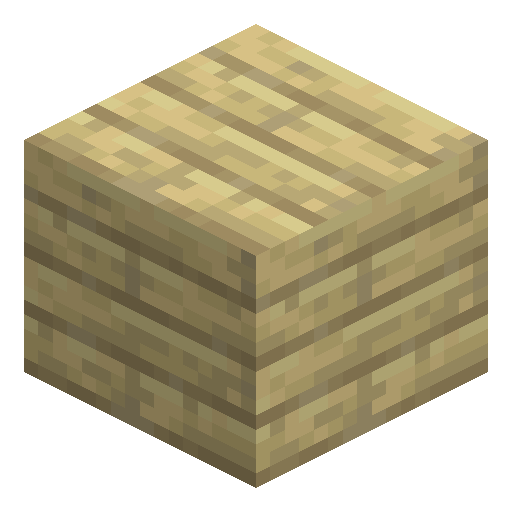 Birch Planks
x2
Birch Planks
x2


Frequently asked questions
How do you craft a Birch Pressure Plate?
Place two Birch Planks in a horizontal row on a crafting grid to make one Birch Pressure Plate. The recipe matches every other wooden pressure plate in Minecraft.
What can trigger a Birch Pressure Plate?
A Birch Pressure Plate activates for players, mobs, dropped items, boats, and experience orbs. The plate ignores empty minecarts, so use a detector rail to catch minecarts.
How long does a Birch Pressure Plate stay activated?
The signal stays on while an entity is on the plate and for 10 Redstone ticks afterward. The output power is a constant level 15 that reaches up to 15 blocks of Redstone dust.
Is a Birch Pressure Plate renewable?
Yes. Birch trees grow from saplings anywhere, so Birch Planks and the plates crafted from them are an unlimited resource in Minecraft.
Can you use a Birch Pressure Plate as fuel?
Yes. As a wooden item, one Birch Pressure Plate smelts 1.5 items in a furnace, the same burn time as a Birch Plank.
What is the difference between a Birch Pressure Plate and a Birch Button?
A Birch Pressure Plate stays on while any entity stands on it, while a Birch Button emits a short pulse for 15 Redstone ticks after a single press.