


Acacia Wall Hanging Sign
Acacia Wall Hanging Sign attaches to the side of a block and shows four editable lines of text for labeling builds and storage.
Description
The text of Acacia Wall Hanging Sign holds up to four lines, and every line is narrower than on a regular sign, so short labels like room names or shop prices read best. The letters stay editable after placement: dyes recolor the text, a glow ink sac makes the letters glow (a regular ink sac reverts the glow), and a honeycomb waxes the sign shut — an irreversible lock. Acacia Wall Hanging Sign can be waterlogged (water fills its block space without breaking the sign) and never catches fire.
Block properties
| Item ID |
minecraft:acacia_wall_hanging_sign
|
|---|---|
| /give command |
/give @p minecraft:acacia_wall_hanging_sign
|
| Stackable | Yes (16) |
| Best tool | Axe |
| Renewable | Yes |
| Hardness | 1 |
| Blast resistance | 1 |
| Java Edition | 1.20 |
| Bedrock Edition | 1.20.0 |
Guide
How to get an Acacia Wall Hanging Sign in Minecraft
-
1
Craft six acacia hanging signs
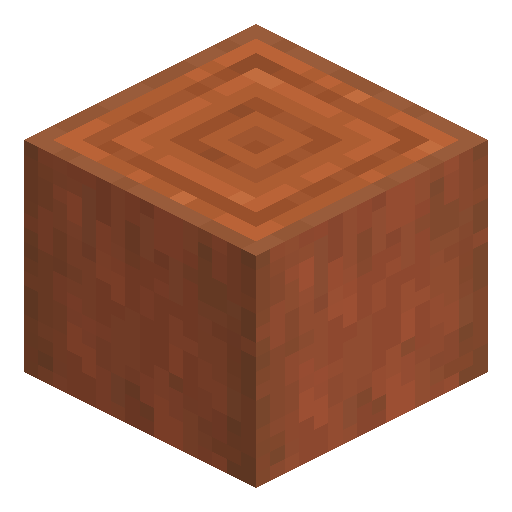
Place two iron chains in the top corners of a 3x3 crafting grid, fill the middle and bottom rows with six stripped acacia logs, and collect six acacia hanging signs from the output.
-
2
Attach the sign to the side of a block
Use an acacia hanging sign on the side of a block; the sign becomes an Acacia Wall Hanging Sign on a rigid bracket and can face four directions.
-
3
Write up to four lines
Interact with the sign to open the text editor and type the label; hanging sign lines run narrower than regular sign lines, so keep the wording short.
-
4
Decorate and lock the text
Recolor the letters with a dye, apply a glow ink sac for glowing text, and wax the sign with a honeycomb when the text is final — waxing locks the sign forever.
-
5
Break and reuse the sign
Break Acacia Wall Hanging Sign with any tool — an axe works fastest — and pick up the acacia hanging sign item, which stacks to 16 in one inventory slot.
The bracket of Acacia Wall Hanging Sign is self-supporting: removing or destroying the block behind the sign does not break the sign, unlike hanging signs placed under a ceiling.
How to craft this block







Frequently asked questions
How do you craft an Acacia Wall Hanging Sign in Minecraft?
Minecraft has no separate item for the wall form. Craft acacia hanging signs from six stripped acacia logs and two iron chains, then use one on the side of a block to get the wall variant.
What happens if a piston pushes Acacia Wall Hanging Sign?
In Bedrock Edition, a piston destroys Acacia Wall Hanging Sign and drops the acacia hanging sign as an item.
Which tool breaks Acacia Wall Hanging Sign fastest?
An axe breaks Acacia Wall Hanging Sign faster than any other tool. The block also breaks with an empty hand, has hardness 1, and always drops the hanging sign item.
Is Acacia Wall Hanging Sign flammable?
No. Fire never burns Acacia Wall Hanging Sign, and the sign survives underwater because the block can be waterlogged.
Can Acacia Wall Hanging Sign be used as furnace fuel?
One acacia hanging sign smelts four items in a furnace. Crimson and warped hanging signs cannot be used as fuel.
Minecraft and all related materials are trademarks and copyrights of Mojang Studios © 2009–2026. This site is not an official Minecraft product and is not affiliated with or endorsed by Mojang Studios or Microsoft Corporation.