


How to Make Polished Sulfur Wall in Minecraft
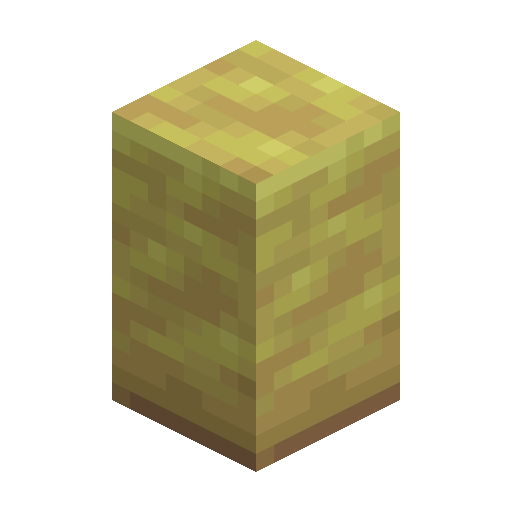
Polished Sulfur Wall
Polished Sulfur Wall is a yellow connecting wall crafted from six Polished Sulfur for fences and bases.
Description
Block properties
| Item ID |
minecraft:polished_sulfur_wall
|
|---|---|
| /give command |
/give @p minecraft:polished_sulfur_wall
|
| Stackable | Yes (64) |
| Best tool | Pickaxe |
| Renewable | Yes |
| Hardness | 1.5 |
| Blast resistance | 6 |
| Java Edition | 26.2 |
| Bedrock Edition | 26.30 |
Java & Bedrock Guide
How to craft and use Polished Sulfur Wall in Minecraft
-
1
Gather Polished Sulfur
Mine Sulfur in the Sulfur Caves biome with any pickaxe, then craft it into Polished Sulfur, the material the wall recipe needs.
-
2
Craft the walls
Fill the bottom two rows of a crafting table with six Polished Sulfur to get six Polished Sulfur Walls, or cut blocks 1:1 on a Stonecutter.
-
3
Place and connect
Place the wall on a solid surface; it auto-connects to neighboring walls, fences, and blocks and raises a center post where needed.
-
4
Refine the look
Waterlog the wall with a water bucket or pair it with Sulfur Stairs and Slabs to finish alchemy-themed builds.
Polished Sulfur Wall is non-flammable and only drops when mined with a pickaxe; breaking it by hand wastes the block.
How to craft this block
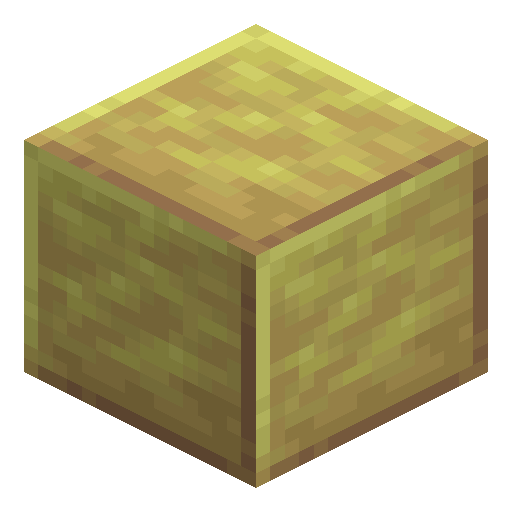 Polished Sulfur
x6
Polished Sulfur
x6


Frequently asked questions
How do you craft Polished Sulfur Wall?
Place six Polished Sulfur across the bottom two rows of a crafting table to make six walls, or cut Sulfur or Polished Sulfur 1:1 on a Stonecutter.
What Minecraft version added Polished Sulfur Wall?
It arrived in Minecraft 26.2, the Chaos Cubed drop released on June 16, 2026, alongside the Sulfur Caves biome.
Can Polished Sulfur Wall be waterlogged?
Yes. Use a water bucket on the wall and it holds a water source while keeping its connecting shape.
Is Polished Sulfur Wall flammable?
No. Like other sulfur blocks it does not catch fire, so it is safe next to lava or campfires.
What tool mines Polished Sulfur Wall fastest?
Any pickaxe works and is required for a drop; a stone or better pickaxe breaks it quickly (hardness 1.5).
What is the difference between Sulfur Wall and Polished Sulfur Wall?
Both share the same stats, but Polished Sulfur Wall is made from smoother Polished Sulfur and shows a cleaner, refined yellow texture.