


Crimson Nylium — Minecraft block
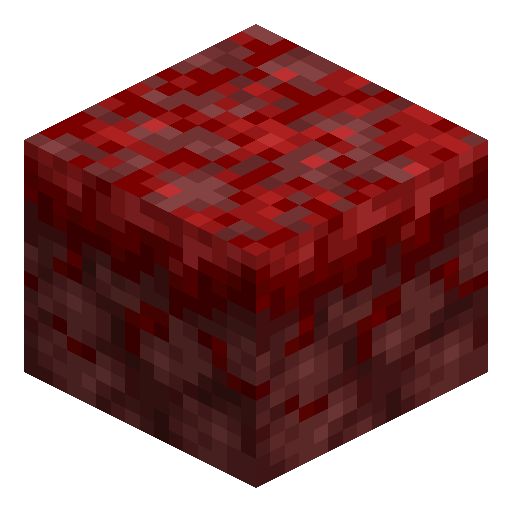
Crimson Nylium
Crimson Nylium covers the floor of crimson forests — netherrack capped with a layer of red fungal moss that supports plants and fungi.
Description
Its most important function is as the only surface that can grow crimson fungi into huge fungi. Place a small crimson fungus on top, apply bone meal — each use has about a 40% chance of success — and the fungus erupts into a huge crimson structure with a trunk four to twenty-six blocks tall, a renewable source of stems, shroomlight, weeping vines, and nether wart blocks. Crimson Nylium reverts to plain netherrack when an opaque block covers its top, so keep the surface clear when building over it.
Block properties
| Item ID |
minecraft:crimson_nylium
|
|---|---|
| /give command |
/give @p minecraft:crimson_nylium
|
| Stackable | Yes (64) |
| Best tool | Pickaxe |
| Renewable | No |
| Hardness | 0.4 |
| Blast resistance | 0.4 |
| Java Edition | 1.16 |
| Bedrock Edition | 1.16.0 |
Java & Bedrock Guide
How to get and use Crimson Nylium in Minecraft
-
1
Find a crimson forest
Build a Nether portal and explore until the terrain turns deep red — Crimson Nylium only generates as the floor of the crimson forest biome, carpeted with crimson roots, weeping vines, and crimson fungi.
-
2
Mine it with Silk Touch
Use a pickaxe enchanted with Silk Touch to collect Crimson Nylium itself. Mining without Silk Touch drops plain netherrack, so the colored block is impossible to keep otherwise.
-
3
Spread it onto netherrack
Place Crimson Nylium next to netherrack back at base, then apply bone meal to the netherrack with air above it — the netherrack converts into more Crimson Nylium, growing your patch without a second Silk Touch trip.
-
4
Grow huge crimson fungi
Plant a crimson fungus on top of Crimson Nylium and bone-meal it. Each use has about a 40% chance of success, and the fungus grows into a giant crimson fungus with a trunk up to twenty-six blocks tall — a renewable source of crimson stems, shroomlight, and nether wart blocks.
Crimson Nylium was added in the 1.16 Nether Update. It is non-renewable in Java Edition, but in Bedrock Edition netherrack generated by Nether portals can be converted with bone meal, making it renewable there. Hoglins roam the crimson forest, so light the area or fence it off if you build there.



Frequently asked questions
How do you get Crimson Nylium in Minecraft?
Mine Crimson Nylium with a Silk Touch pickaxe in the crimson forest. Without Silk Touch it drops plain netherrack instead of the colored block.
What grows on Crimson Nylium?
Bone meal on Crimson Nylium sprouts mostly crimson roots in a 5×5 area, occasionally crimson fungi, and rarely a warped fungus. A bone-mealed crimson fungus on top grows into a huge crimson fungus.
Do hoglins spawn on Crimson Nylium?
Yes. Hoglins spawn in groups in the crimson forest, whose floor is Crimson Nylium, which is why the biome is a reliable place to farm raw porkchop and leather.
What is the difference between Crimson and Warped Nylium?
Crimson Nylium is red and grows crimson fungi into red huge fungi, while Warped Nylium is teal and grows warped fungi into blue-green ones. Both are netherrack surfaces.
What version added Crimson Nylium?
Crimson Nylium was added in the 1.16 Nether Update for both Java and Bedrock Edition, alongside the crimson forest biome.